TLS Handshake Explained: The Mechanics of Secure Connections
The TLS handshake establishes encryption keys before any data transfers, ensuring that intercepted traffic remains unreadable to passive observers on the network path.
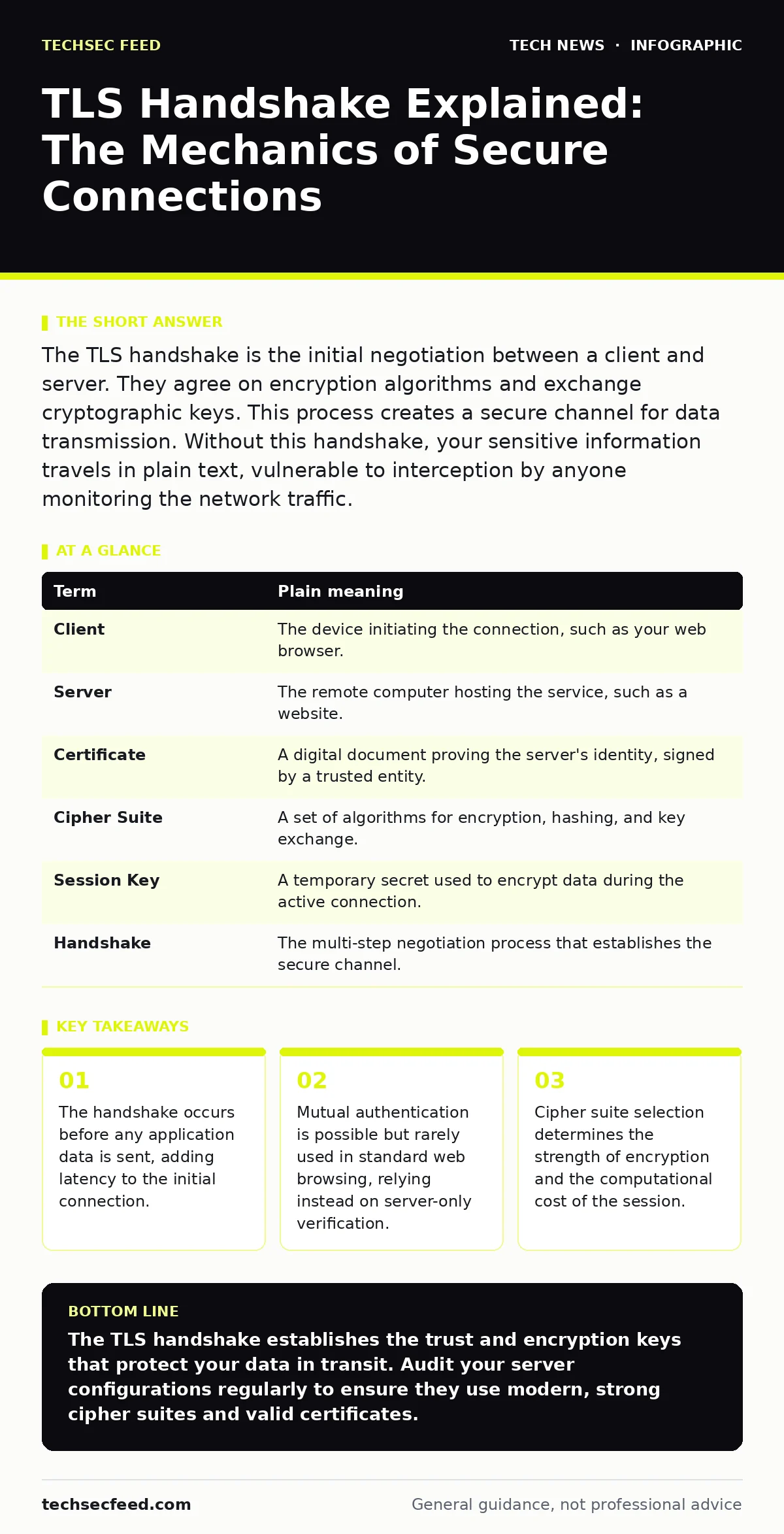
The TLS handshake is the initial negotiation between a client and server. They agree on encryption algorithms and exchange cryptographic keys. This process creates a secure channel for data transmission. Without this handshake, your sensitive information travels in plain text, vulnerable to interception by anyone monitoring the network traffic.
What is the TLS Handshake Explained
The TLS handshake explained simply is the process where two computers agree on how to talk securely. Imagine you and a colleague need to discuss a secret project in a crowded cafe. You cannot shout the details because everyone can hear. Instead, you first agree on a code word and a method to change that code word every minute. The TLS handshake is that initial agreement. It happens before you say the first secret word. This negotiation ensures that even if someone listens to your conversation, they cannot understand the content without the specific keys generated during this setup phase.
The Cafe Analogy for Security
Suppose you walk into a cafe to meet a contact. You do not trust the waiter to deliver your notes safely. You first signal that you are ready to talk. Your contact shows you a badge to prove their identity. You check the badge against a known list of valid agents. Once you trust the contact, you both agree on a cipher book to use. You then perform a complex hand gesture that only the two of you can replicate, generating a unique key for this meeting. This key encrypts your whispers. The TLS handshake follows this exact pattern. It verifies identity, agrees on rules, and generates unique keys for the session.
Key Terms in the Protocol
Understanding the mechanics requires knowing the specific components involved in the exchange. These terms define the structure of the security negotiation.
| Term | Plain meaning |
|---|---|
| Client | The device initiating the connection, such as your web browser. |
| Server | The remote computer hosting the service, such as a website. |
| Certificate | A digital document proving the server's identity, signed by a trusted entity. |
| Cipher Suite | A set of algorithms for encryption, hashing, and key exchange. |
| Session Key | A temporary secret used to encrypt data during the active connection. |
| Handshake | The multi-step negotiation process that establishes the secure channel. |
Step 1: Client Hello and Server Hello
The process begins with the client sending a "Client Hello" message. This packet contains the highest TLS version the client supports, a list of supported cipher suites, and a random number. The server responds with a "Server Hello." It selects the highest common TLS version and the strongest cipher suite both sides support. It also sends its own random number.
These random numbers are critical. They ensure that even if two connections use the same keys, the resulting session keys are different. This prevents replay attacks where an attacker resends captured data. Understanding this step helps you grasp why connection speed matters. More random data means better security but slightly more processing time.
Step 2: Identity Verification and Keys
The server sends its digital certificate. This certificate contains the server's public key. The client must verify this certificate. It checks if the certificate is signed by a trusted certificate authorities. If the signature is valid and the certificate has not expired, the client trusts the server. The client then generates a pre-master secret.
It encrypts this secret using the server's public key from the certificate and sends it to the server. Only the server can decrypt this because it holds the corresponding private key. Both sides now have the pre-master secret and the two random numbers. They use these three pieces of data to generate the same session key. This symmetric key is used for all subsequent data encryption.
See also: ASN Threat Intelligence: Small Business Network Defense · How Man-in-the-Middle Attacks Steal Your Data
Step 3: Finished Messages and Data Flow
Both sides send a "Finished" message. This message is encrypted with the newly created session key. It contains a hash of all previous handshake messages. This proves that the handshake was not tampered with during transmission. If the hash matches, the handshake is complete. The connection is now secure. All data sent after this point is encrypted with the session key. This phase is fast because symmetric encryption is computationally cheaper than the asymmetric encryption used earlier. The overhead of the handshake is the price you pay for security. In the OSI model, this process operates at the transport layer, sitting above TCP and below the application layer.
Practical Steps for Verification
You can verify the handshake details on your own machine. This helps you understand what your systems are actually doing.
- Open a command prompt or terminal on your computer.
- Connect to a secure website using a tool like OpenSSL or a browser developer tool.
- Observe the cipher suite selected and the certificate chain presented.
Hidden Costs and Edge Cases
The handshake adds latency. Every new connection requires this full negotiation. For services that make many short connections, this overhead is significant. This is where session resumption comes in. It allows reusing previous keys, skipping most of the handshake. However, this reduces forward secrecy. If a long-term key is compromised, past sessions might be decrypted.
Balancing speed and security is a constant trade-off. Secure software development practices must account for this. Developers often assume TLS handles everything, but misconfigured cipher suites can weaken the protection. API key security also relies on this underlying transport security. If the handshake fails, the API keys are exposed in plain text.
Why This Matters for Operations
Your infrastructure depends on these handshakes. Every user login, every database query, and every API call starts here. If your servers offer outdated cipher suites, attackers can downgrade the security. Regular audits of your TLS configurations are necessary. You must disable old versions and weak algorithms. This aligns with DevOps security principles. Security is not a one-time setup. It is a continuous process of verification and adjustment. End-of-life hardware often cannot support modern TLS versions. Upgrading these systems is not just about performance. It is about maintaining the integrity of your communication channels.
Key takeaways
- The handshake occurs before any application data is sent, adding latency to the initial connection.
- Mutual authentication is possible but rarely used in standard web browsing, relying instead on server-only verification.
- Cipher suite selection determines the strength of encryption and the computational cost of the session.
The TLS handshake establishes the trust and encryption keys that protect your data in transit. Audit your server configurations regularly to ensure they use modern, strong cipher suites and valid certificates.
Frequently asked questions
Why does the handshake take so long?
The handshake involves multiple round-trips between the client and server. Each step requires data to be sent and acknowledged. Network latency and complex cryptographic calculations add to the time.
Can the handshake be skipped?
No, the handshake must occur for every new secure connection. Session resumption can shorten the process, but a full negotiation is required for initial trust establishment.
What happens if the certificate is invalid?
The client will reject the connection. The browser or application will display a warning. Proceeding without a valid certificate exposes the user to potential impersonation attacks.
Does TLS protect against all attacks?
TLS protects data in transit from eavesdropping and tampering. It does not protect against malware on the client or server, nor does it validate the content of the data being sent.
How this guide was produced: written by the TechSec Feed editorial team with AI assistance, checked against the public references listed below, and reviewed when the facts change. See our editorial policy or report an error.