
ASN Threat Intelligence: Small Business Network Defense
Autonomous system numbers reveal the origin of malicious traffic, allowing small networks to block entire hostile infrastructure blocks rather than single IP addresses.
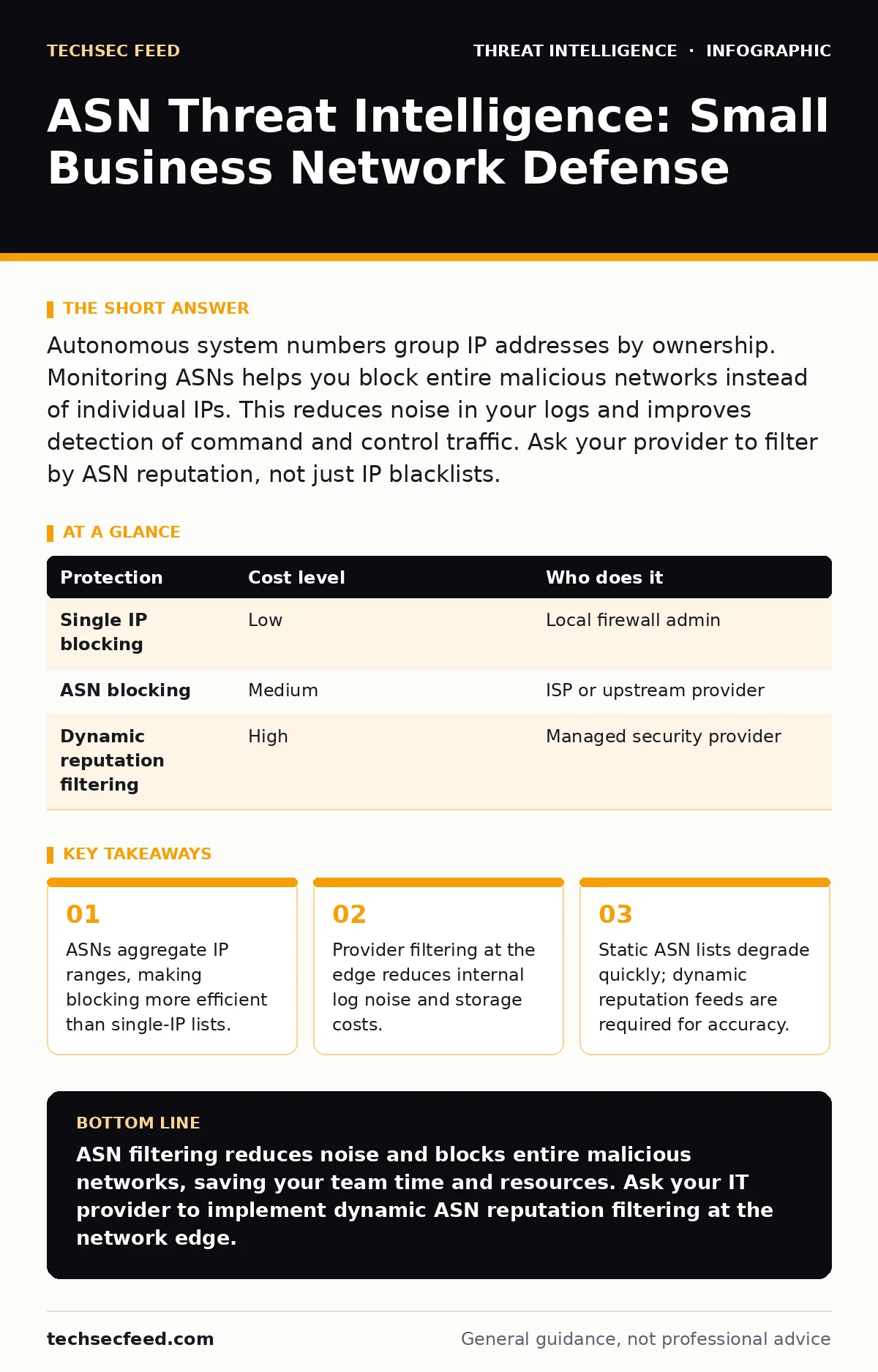
Autonomous system numbers group IP addresses by ownership. Monitoring ASNs helps you block entire malicious networks instead of individual IPs. This reduces noise in your logs and improves detection of command and control traffic. Ask your provider to filter by ASN reputation, not just IP blacklists.
Why ASNs Matter for Small Networks
Autonomous system numbers (ASNs) are unique identifiers assigned to networks that announce their own IP address ranges to the global routing system. Most threat intelligence focuses on individual IP addresses. This approach fails against attackers who use large pools of compromised devices or cloud instances. An attacker can rotate through hundreds of IPs within a single ASN. Blocking one IP leaves the rest active. Blocking the ASN cuts off the entire source network. This shifts the defense from reactive patching to structural denial.
Small organizations lack the staff to monitor individual IPs. They cannot maintain large blacklists. ASNs provide a higher-level abstraction. You block the network operator, not the specific machine. This reduces the volume of malicious traffic before it reaches your firewall. It also simplifies log analysis. You see fewer unique sources in your security logs. This clarity helps you spot genuine anomalies faster.
The Mechanics of ASN Blocking
Routing decisions happen at the internet exchange points. Your internet service provider (ISP) receives traffic destined for your network. The ISP can filter traffic based on the originating ASN. This is called prefix filtering or BGP filtering. It happens before the traffic enters your local network. This saves bandwidth and reduces load on your edge devices.
Imagine a botnet using a specific cloud provider’s ASN for its command and control traffic. If you block that ASN, you drop all traffic from that provider. This is a blunt instrument. It may block legitimate services hosted on that provider. You must verify that no critical business applications rely on that ASN. Most small businesses do not. They use public cloud services that span multiple ASNs. Blocking one ASN rarely breaks business operations.
| Protection | Cost level | Who does it |
|---|---|---|
| Single IP blocking | Low | Local firewall admin |
| ASN blocking | Medium | ISP or upstream provider |
| Dynamic reputation filtering | High | Managed security provider |
Practical Implementation Steps
You cannot implement ASN blocking on a standard consumer router. You need cooperation from your ISP or a managed security service provider. The provider must support BGP filtering or application-layer filtering based on ASN reputation. Ask them to integrate threat intelligence feeds that rate ASNs. These feeds analyze historical behavior of entire networks.
Do not rely on static lists of bad ASNs. Attackers move between networks. A clean ASN today may host malware tomorrow. You need a dynamic feed that updates frequently. This feed should integrate with your existing security stack. It should alert you when traffic from a newly malicious ASN reaches your network. This allows you to adjust rules quickly.
- Verify your ISP supports ASN-based filtering.
- Request access to their threat intelligence dashboard.
- Confirm they use dynamic reputation scores.
- Test blocking a known bad ASN in a staging environment.
Hidden Costs and Trade-offs
Blocking an ASN carries the risk of false positives. Some ASNs host both malicious and legitimate traffic. This is common with shared hosting providers or large cloud platforms. If you block the ASN, you block everything. This is the hidden cost of efficiency. You trade precision for coverage.
Consider the impact on your employees. If they use a SaaS tool hosted on a blocked ASN, their work stops. You must maintain a whitelist for critical business ASNs. This requires ongoing maintenance. As your business adopts new tools, you must update your allow-lists. This adds administrative overhead. Small teams often underestimate this burden.
Another cost is latency. Filtering at the ISP level is fast. Filtering at your local firewall requires processing each packet. This consumes CPU cycles. For small networks with limited hardware, this can slow down legitimate traffic. Offloading this work to your ISP is cheaper and faster. It keeps your local resources free for internal security tasks.
Integrating with Existing Tools
Your local security tools can still use ASN data. Even if your ISP handles the blocking, you should log ASN information. This helps with incident response. When an alert fires, you can see which ASN the traffic came from. This context is vital for understanding the attack vector.
Many security information and event management (SIEM) systems can enrich logs with ASN data. This enrichment happens automatically. You do not need to manually look up IP ranges. The system maps the IP to its ASN and adds reputation scores. This makes correlation easier. You can group alerts by ASN. This reveals patterns that single-IP views hide.
For example, if you see multiple login failures from different IPs but the same ASN, you know it is a coordinated attack. This is more actionable than seeing scattered failures. It helps you prioritize response. You can focus on the network, not the individual devices. This approach aligns with how attackers operate. They use networks, not single machines.
See also: Network Address Translation Types: How NAT Modes Shape Your Security Posture · Remote Access Control System: How It Works and What You Miss
Questions for Your IT Provider
Your provider is your first line of defense. They control the entry point to your network. You need to know what they do with threat intelligence. Ask specific questions about their capabilities. Do not accept vague answers about "advanced protection." You need technical details.
- How do you filter malicious traffic at the network edge?
- Do you use ASN-based reputation lists for blocking?
- Can you provide logs of blocked ASN traffic for our review?
- How quickly do you update your threat intelligence feeds?
- What is the process for whitelisting a blocked ASN?
- Do you offer visibility into the ASNs targeting our network?
These questions reveal the depth of their service. A provider who uses ASN filtering is more proactive. They stop threats before they reach your hardware. This reduces your internal workload. It also provides better data for your own analysis.
Common Mistakes to Avoid
One common mistake is assuming ASN blocking is a silver bullet. It is not. Sophisticated attackers may use clean ASNs or residential proxies. These sources are hard to block without harming legitimate users. You must combine ASN filtering with other controls.
Another mistake is ignoring the whitelist. If you block an ASN and it breaks a service, you must have a fast way to restore access. Without a clear process, downtime extends. This frustrates employees and damages productivity. Ensure your provider has a rapid response channel for whitelist requests.
Finally, do not neglect internal monitoring. ASN filtering stops external traffic. It does not stop insider threats. It does not stop malware that has already entered your network. You still need endpoint detection and response. You still need to monitor for command and control traffic from inside your network. ASN filtering is one layer, not the whole stack.
Key takeaways
- ASNs aggregate IP ranges, making blocking more efficient than single-IP lists.
- Provider filtering at the edge reduces internal log noise and storage costs.
- Static ASN lists degrade quickly; dynamic reputation feeds are required for accuracy.
ASN filtering reduces noise and blocks entire malicious networks, saving your team time and resources. Ask your IT provider to implement dynamic ASN reputation filtering at the network edge.
Frequently asked questions
What is an autonomous system number?
An autonomous system number is a unique identifier for a network that announces its IP address ranges to the internet. It groups many IP addresses under one administrative entity.
Can I block ASNs on my home router?
No, home routers cannot filter by ASN. You need an enterprise-grade firewall or cooperation from your internet service provider to implement ASN-based blocking rules.
How often do ASN reputation lists change?
ASN reputation lists change daily or hourly. Attackers move between networks, so static lists become obsolete quickly. Dynamic feeds are necessary for accurate protection.
Does ASN blocking stop all attacks?
No, ASN blocking stops traffic from known malicious networks. It does not stop attacks from clean ASNs, insider threats, or attacks using residential proxies that mimic legitimate users.
How this guide was produced: written by the TechSec Feed editorial team with AI assistance, checked against the public references listed below, and reviewed when the facts change. See our editorial policy or report an error.