
DevOps Security Trade-offs: Speed Versus Control in CI/CD Pipelines
Integrating security into automation creates friction that slows deployment velocity while reducing the human error that causes most configuration mistakes.
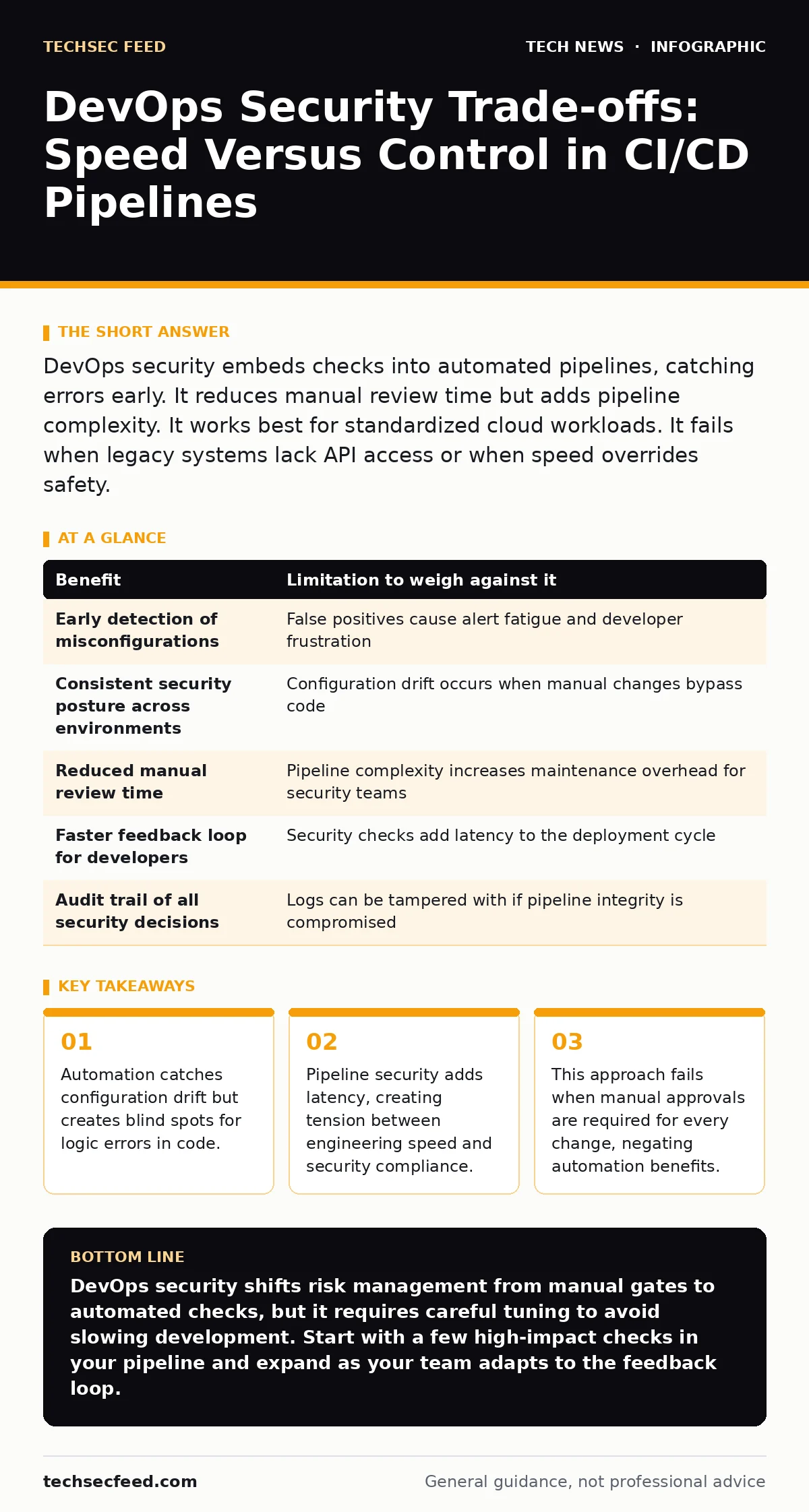
DevOps security embeds checks into automated pipelines, catching errors early. It reduces manual review time but adds pipeline complexity. It works best for standardized cloud workloads. It fails when legacy systems lack API access or when speed overrides safety.
The Automation Paradox
DevOps security, often called DevSecOps, shifts security tasks from manual gates to automated steps within the continuous integration and continuous deployment pipeline. You embed checks that run automatically when code changes are submitted. This changes the role of the security team from gatekeepers to enablers of automation.
The primary benefit is speed. Automated checks run in seconds, whereas manual reviews take hours or days. You catch misconfigurations before they reach production. However, automation introduces a hidden cost: complexity. When a security check fails, developers must fix the code and restart the pipeline. This adds friction to the development process.
Pipeline Integrity and Trust
The pipeline itself becomes a critical asset. If an attacker compromises the build server, they can inject malicious code into every subsequent release. This is known as supply chain compromise. You must protect the integrity of the tools that build and deploy your software.
This requires strict access controls for the pipeline configuration. Only authorized personnel should modify the scripts that define the build process. You also need to verify the signatures of the dependencies you download. If a library is tampered with during download, your build is infected.
See the related guide on API key security for details on managing the credentials that pipelines use to access repositories and cloud services. These keys are high-value targets for attackers seeking to hijack deployments.
Configuration Drift Detection
Infrastructure as Code (IaC) allows you to define servers and networks in text files. DevOps security tools scan these files for errors before they are applied. This prevents insecure defaults from reaching production. For example, a database might be configured to accept connections from any IP address.
The limitation is that IaC only covers resources defined in code. Manual changes made directly to a server bypass these checks. This creates configuration drift, where the actual state differs from the documented state. Over time, the security posture degrades because the automated checks no longer reflect reality.
The Velocity Tax
Every security check adds time to the deployment cycle. Static analysis, dynamic testing, and dependency scanning all require compute resources and time. If your pipeline takes two hours to run, developers will avoid committing code frequently. This leads to large, risky batches of changes.
You must balance thoroughness with speed. Some checks can run in parallel to reduce total time. Others can be deferred to nightly builds if they are resource-intensive. The goal is to keep the feedback loop short enough that developers do not feel hindered.
Imagine a scenario where a security scan takes thirty minutes. Developers may skip the scan to meet a deadline. This defeats the purpose of automation. The security measure becomes a checkbox rather than a safeguard.
Human Judgment in Automated Systems
Automated tools generate many false positives. They flag code that looks like a vulnerability but is actually safe. Developers learn to ignore these alerts to keep moving. This is alert fatigue. The signal gets lost in the noise.
You need a process for triaging alerts. Not every finding requires immediate action. Some can be accepted as risk if the context makes the vulnerability irrelevant. However, deciding what to accept requires human judgment. Automation cannot make this decision reliably.
When It Is Worth It
DevOps security is worth the investment when you deploy frequently and use standardized infrastructure. Cloud-native applications benefit most because the infrastructure is defined in code. You can validate security properties before provisioning resources.
It is also worth it when you have a mature development culture. Teams that understand the value of automation will engage with security checks rather than resist them. You need leadership support to enforce the discipline required for consistent implementation.
Consider the related guide on HTTPS for details on securing the transport layer, which is often automated in modern deployment pipelines. Ensuring that all endpoints serve encrypted traffic is a standard check that fits well into automated workflows.
When It Is Not Worth It
DevOps security is not worth it for legacy systems that cannot be automated. If your infrastructure relies on manual configuration and proprietary hardware, you cannot easily scan it. The effort to build custom scanners may exceed the benefit.
It is also not worth it if your organization resists cultural change. If security is viewed as a blocker rather than a partner, automation will be circumvented. You cannot force adoption through tools alone. The process must align with business goals.
See the related guide on certificate management for insights into managing credentials in environments where automation is difficult. Manual processes for certificate renewal are prone to error and hard to scale.
Weighing Benefits Against Limitations
| Benefit | Limitation to weigh against it |
|---|---|
| Early detection of misconfigurations | False positives cause alert fatigue and developer frustration |
| Consistent security posture across environments | Configuration drift occurs when manual changes bypass code |
| Reduced manual review time | Pipeline complexity increases maintenance overhead for security teams |
| Faster feedback loop for developers | Security checks add latency to the deployment cycle |
| Audit trail of all security decisions | Logs can be tampered with if pipeline integrity is compromised |
Integrating with Broader Security
DevOps security does not replace traditional security measures. It complements them. You still need perimeter defenses, incident response plans, and user training. The pipeline secures the build, but it does not secure the runtime environment entirely.
See the related guide on the OSI model to understand how security controls apply at different network layers. Pipeline security focuses on the application layer, but network segmentation remains vital for containment.
You must also consider the related guide on browser security settings. Even if your backend is secure, users may access it through vulnerable browsers. DevOps security cannot fix client-side vulnerabilities.
Key takeaways
- Automation catches configuration drift but creates blind spots for logic errors in code.
- Pipeline security adds latency, creating tension between engineering speed and security compliance.
- This approach fails when manual approvals are required for every change, negating automation benefits.
DevOps security shifts risk management from manual gates to automated checks, but it requires careful tuning to avoid slowing development. Start with a few high-impact checks in your pipeline and expand as your team adapts to the feedback loop.
Frequently asked questions
Does DevOps security replace the need for penetration testing?
No. Automated checks find known issues in code and configuration. Penetration testing simulates real attacks to find logic flaws and complex vulnerabilities that tools miss.
How do I handle false positives in security scans?
Create a process for triaging alerts. Allow developers to mark false positives with context. Review these regularly to refine your scanning rules and reduce noise.
Can DevOps security work with on-premise infrastructure?
Yes, but it is more difficult. You need to ensure your build tools can access and scan on-premise resources. Network connectivity and agent installation may add complexity.
What is the first step to implementing DevOps security?
Start by securing the pipeline itself. Ensure that only authorized users can modify build scripts. Then add a simple check, such as scanning for hardcoded secrets, to build trust in the process.
How this guide was produced: written by the TechSec Feed editorial team with AI assistance, checked against the public references listed below, and reviewed when the facts change. See our editorial policy or report an error.