End-of-Life Hardware: Risks and Practical Mitigation Strategies
Unsupported devices continue to process data while silently ignoring new security protocols, creating blind spots that standard monitoring tools often miss.
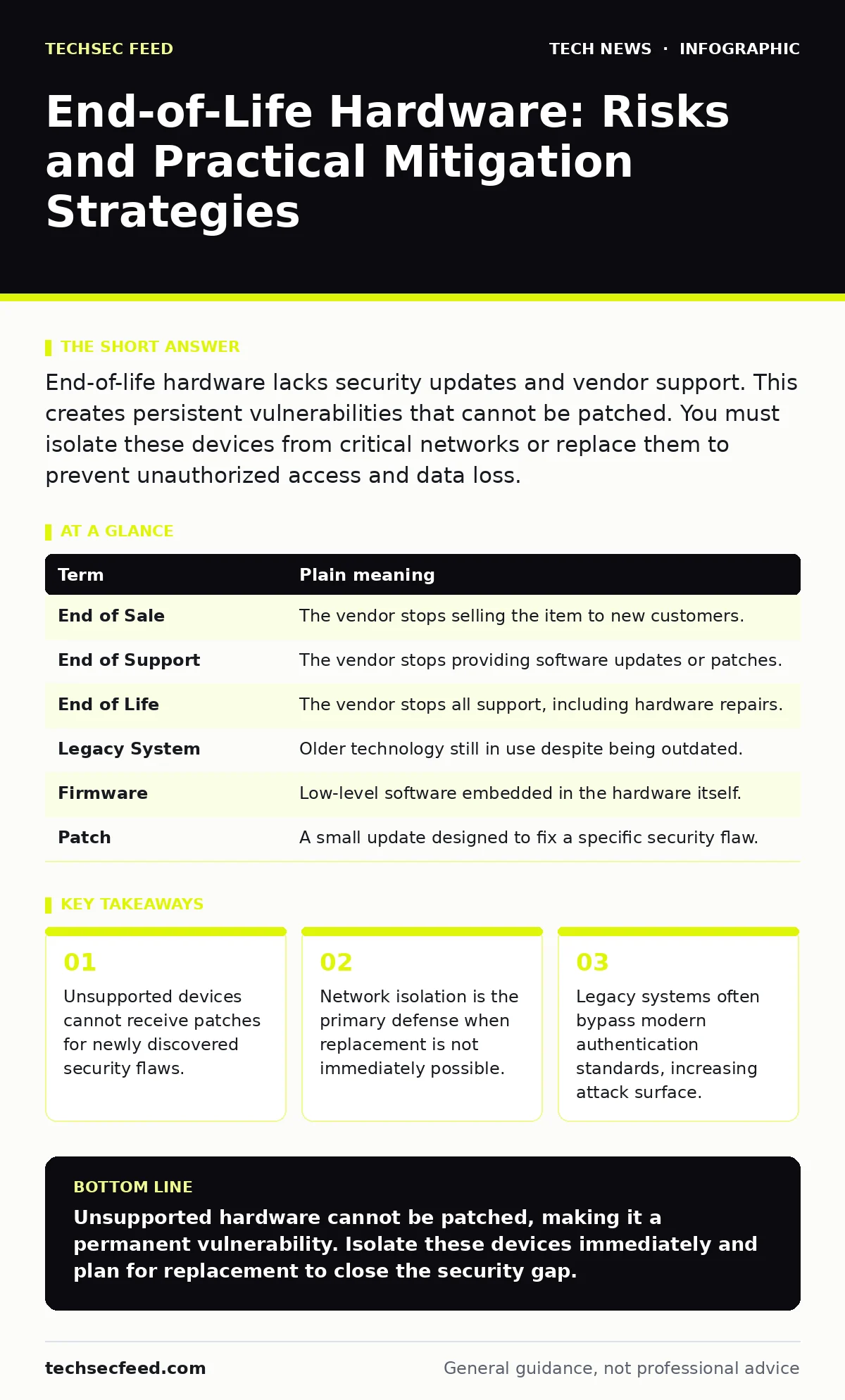
End-of-life hardware lacks security updates and vendor support. This creates persistent vulnerabilities that cannot be patched. You must isolate these devices from critical networks or replace them to prevent unauthorized access and data loss.
The Abandoned House Analogy
Imagine you buy a house built decades ago. The structure stands, but the builder no longer exists. When a new type of lock-picking tool emerges, you cannot upgrade the door locks because the manufacturer is gone. You still live there, but the house remains vulnerable to techniques that modern homes can automatically block.
End-of-life hardware functions exactly like this abandoned house. The device operates, but it cannot adapt to new threats. You are relying on the original design to withstand attacks it was never engineered to face. This static nature is the core problem.
Defining the Lifecycle Terms
Understanding the lifecycle requires precise definitions. Vendors use specific terms that often confuse buyers. These terms dictate what support you can expect and what risks you accept.
| Term | Plain meaning |
|---|---|
| End of Sale | The vendor stops selling the item to new customers. |
| End of Support | The vendor stops providing software updates or patches. |
| End of Life | The vendor stops all support, including hardware repairs. |
| Legacy System | Older technology still in use despite being outdated. |
| Firmware | Low-level software embedded in the hardware itself. |
| Patch | A small update designed to fix a specific security flaw. |
The Hidden Cost of Stability
Many organizations keep old hardware because it works predictably. This stability creates a false sense of security. The device does not crash, so it appears safe. However, this stability comes at the cost of security agility.
New attacks exploit flaws in protocols that the old hardware cannot understand. For example, if a network shifts to IPv6 security standards, an old router may not support the necessary encryption headers. It becomes a weak link that attackers can bypass. The device itself is not broken, but it is incompatible with modern defense layers.
The Patching Gap
When a security flaw is discovered, vendors release a patch. This patch modifies the firmware to block the exploit. End-of-life hardware never receives these patches. The flaw remains open indefinitely.
This creates a permanent vulnerability. Attackers know that unsupported devices will never be fixed. They target these devices specifically because the defense is static. You are playing a game where the rules change, but your equipment remains frozen in the past. This asymmetry favors the attacker.
Isolation as a Defense
If you cannot replace the hardware, you must isolate it. Isolation means placing the device on a separate network segment. This segment has no direct path to critical data or internet-facing services.
Imagine putting the abandoned house in a fenced yard with no gates. Intruders can still break into the house, but they cannot reach your main property. This limits the blast radius. You must also disable remote management features. If the device cannot be controlled from outside the local segment, the risk decreases significantly.
See also: ASN Threat Intelligence: Small Business Network Defense · TLS Handshake Explained: The Mechanics of Secure Connections
Authentication Weaknesses
Older hardware often relies on outdated authentication methods. It may not support modern certificate management standards. This forces you to use weaker credentials or protocols.
For instance, the device might only accept RSA encryption with short key lengths. Modern standards require longer keys to resist brute-force attacks. Using weak encryption on an end-of-life device is like using a flimsy lock on a steel door. The door is strong, but the lock fails. You must ensure that any data passing through or to this device is encrypted at a higher layer.
Try This Now
- Inventory all hardware and check the vendor’s lifecycle status. Identify any devices past the End of Support date.
- Move these devices to a segregated network segment. Block all inbound and outbound traffic except what is strictly necessary for operation.
- Disable remote access features. Ensure the device can only be managed physically or through a secure, internal jump server.
The Replacement Timeline
Isolation is a temporary measure. It adds complexity and management overhead. The only permanent solution is replacement. You must budget for new hardware that supports current security standards.
When selecting replacements, look for devices with long support cycles. Ensure they support modern protocols like HTTPS for management interfaces. This ensures that when you do update, you are moving to a secure standard, not just a newer version of an old problem.
Common Points of Confusion
Readers often confuse End of Sale with End of Life. You can still buy a device after End of Sale if you find remaining stock. However, End of Life means no support at all. This distinction matters for risk assessment.
Another confusion is the role of antivirus software. Antivirus runs on the operating system, not the hardware. It cannot fix flaws in the firmware or network stack. End-of-life hardware vulnerabilities are often below the OS level. Software solutions cannot patch hardware-level flaws.
The Broader Security Context
End-of-life hardware affects the entire security posture. It can undermine efforts like secure software development if the deployment environment is insecure. It also complicates browser security settings if the network gateway cannot filter modern threats.
You must treat unsupported hardware as a known risk. Mitigate it through isolation and monitoring. Plan for replacement as a high-priority item. Ignoring it creates a persistent hole in your defense.
Key takeaways
- Unsupported devices cannot receive patches for newly discovered security flaws.
- Network isolation is the primary defense when replacement is not immediately possible.
- Legacy systems often bypass modern authentication standards, increasing attack surface.
Unsupported hardware cannot be patched, making it a permanent vulnerability. Isolate these devices immediately and plan for replacement to close the security gap.
Frequently asked questions
Can I extend the life of unsupported hardware with third-party updates?
Some vendors offer paid extended support, but this is rare and expensive. Most third-party patches are not officially supported and may introduce new risks.
Does replacing the operating system fix end-of-life hardware?
No. Hardware limitations often prevent newer operating systems from running. The physical constraints of the device remain unchanged.
How do I identify end-of-life devices in my network?
Check the manufacturer’s website for lifecycle announcements. Use network discovery tools to identify device models and firmware versions.
Is isolation enough to protect sensitive data?
Isolation reduces risk but does not eliminate it. If the device is compromised, it can still be used for local attacks. Replacement is the only full solution.
How this guide was produced: written by the TechSec Feed editorial team with AI assistance, checked against the public references listed below, and reviewed when the facts change. See our editorial policy or report an error.