
Disaster Recovery Plans: Benefits, Limits, and When to Build One
Disaster recovery plans restore operations after failure, yet they cannot prevent the initial intrusion or guarantee zero data loss during the active breach window.
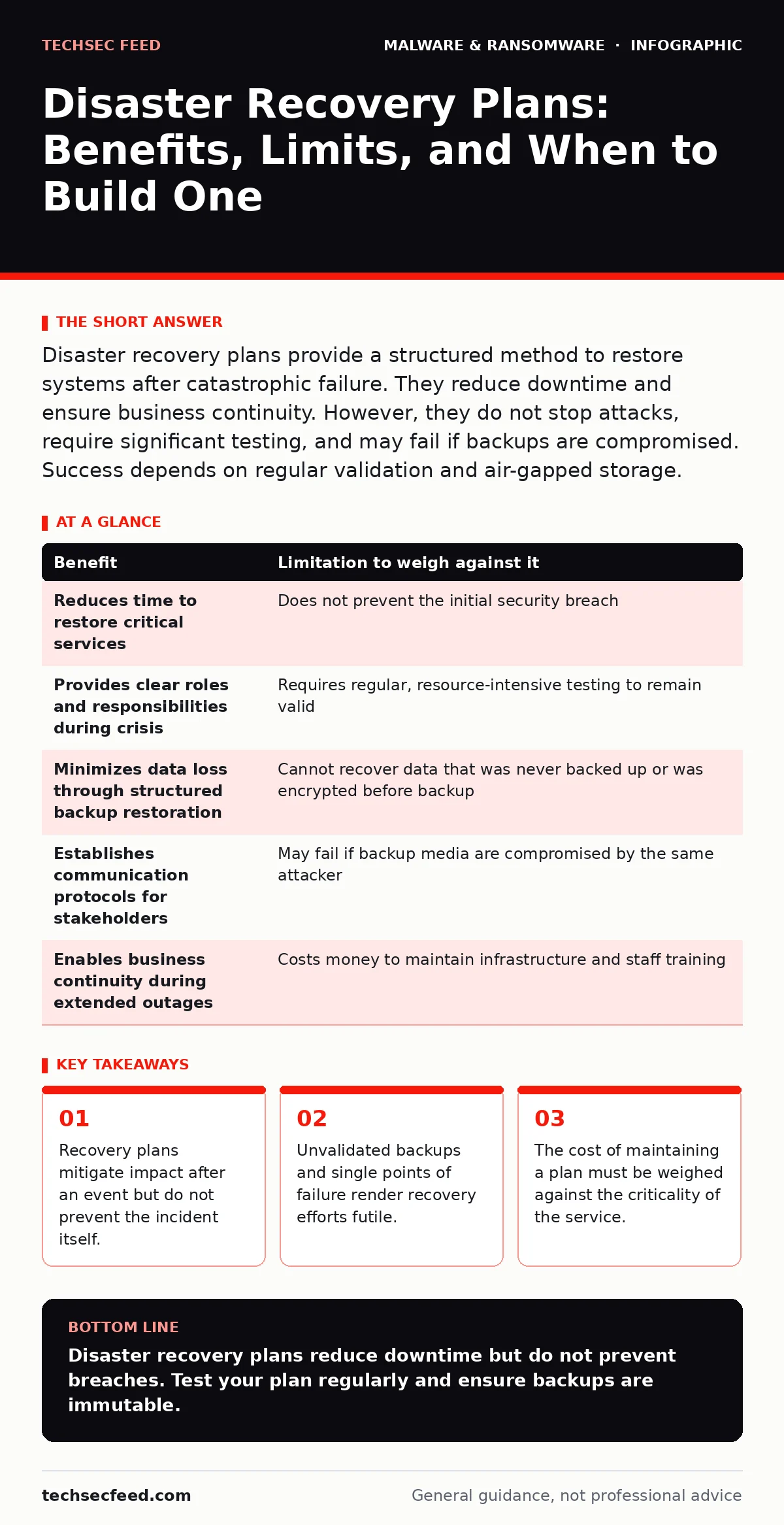
Disaster recovery plans provide a structured method to restore systems after catastrophic failure. They reduce downtime and ensure business continuity. However, they do not stop attacks, require significant testing, and may fail if backups are compromised. Success depends on regular validation and air-gapped storage.
The Function of Recovery Planning
Disaster recovery planning defines the steps required to restore technology infrastructure after a significant failure. It is not a security control. It does not block malware or prevent unauthorized access. Instead, it is an insurance policy for operational continuity. When primary systems fail, the plan dictates how to move to secondary systems or restore from backups. This reduces the time your organization spends without critical services.
Imagine a ransomware attack encrypts your primary file servers. The antivirus signature fails to catch the new variant. Without a plan, staff panic and attempt ad-hoc fixes. With a plan, they follow a pre-defined sequence to isolate affected nodes and spin up clean environments. The goal is predictability in chaos. You trade preparation time for reduced recovery time. This trade-off is the core value proposition of the exercise.
The Hidden Costs of Preparation
Maintaining a disaster recovery plan requires resources that many teams overlook. Backups consume storage capacity and network bandwidth. Replicating data to off-site locations incurs ongoing infrastructure costs. Testing the plan requires dedicated time from engineers who have other duties. If you neglect testing, the plan becomes obsolete quickly. Software updates, network changes, and new applications can break restoration procedures.
The hidden cost is often organizational inertia. Teams may document a process that worked three years ago but no longer applies to the current architecture. Suppose your cloud provider changes its API for backup restoration. Your manual steps now fail. You must update the documentation and retrain staff. This maintenance is continuous. It is not a one-time project. The financial and operational burden is real and persistent.
Benefits and Limitations Matrix
To understand the true value of a disaster recovery plan, you must weigh its advantages against its inherent constraints. The table below outlines these factors. You should use this framework to evaluate your specific needs. Do not assume that having a plan guarantees success. It only improves your odds if executed correctly.
| Benefit | Limitation to weigh against it |
|---|---|
| Reduces time to restore critical services | Does not prevent the initial security breach |
| Provides clear roles and responsibilities during crisis | Requires regular, resource-intensive testing to remain valid |
| Minimizes data loss through structured backup restoration | Cannot recover data that was never backed up or was encrypted before backup |
| Establishes communication protocols for stakeholders | May fail if backup media are compromised by the same attacker |
| Enables business continuity during extended outages | Costs money to maintain infrastructure and staff training |
When the Investment Pays Off
Disaster recovery planning is worth the effort when the cost of downtime exceeds the cost of preparation. Critical infrastructure providers fall into this category. Hospitals, power grids, and financial transaction systems cannot afford prolonged outages. For these organizations, every minute of downtime carries severe operational or regulatory consequences. You must prioritize these systems for rigorous recovery testing.
Consider services that handle unique, non-replicable data. If your research data or customer records cannot be recreated, loss is catastrophic. In these cases, you need robust backup strategies. This includes immutable backups that cannot be altered or deleted by standard user permissions. You also need air-gapped storage, which is physically disconnected from your network to prevent ransomware from reaching it. The investment in these measures is justified by the value of the data.
When the Effort Is Misplaced
Not every system requires a full disaster recovery plan. Low-priority systems that can be rebuilt quickly from scratch may not justify the cost of complex recovery procedures. If a non-critical internal tool goes down for two days, and the business can function without it, extensive recovery planning is waste. You should classify systems by criticality. Focus your resources on the vital few, not the trivial many.
Suppose you run a personal blog or a small hobby project. The effort to build enterprise-grade recovery infrastructure outweighs the value of the site. In these cases, simple backups and manual rebuild procedures are sufficient. Do not over-engineer your response to risk. The principle of proportionality applies. You should match the level of protection to the level of risk. Over-investing in low-value assets drains resources from high-value targets.
See also: Stop Malvertising Attacks Before They Load · Application Allowlisting Misunderstandings That Break Security Controls
The Role of Validation and Testing
A disaster recovery plan is only as good as its last test. Documentation is passive. It describes what should happen. Testing is active. It proves what actually happens. You must simulate failure scenarios regularly. This includes restoring files from backup, spinning up virtual machines, and verifying application functionality. Tabletop exercises help teams understand their roles without touching live systems.
Testing reveals gaps in the plan. You may discover that a backup file is corrupted. You may find that a critical dependency is missing. These failures are valuable. They occur in a controlled environment, not during a real crisis. Regular testing ensures that your team is prepared. It also validates the integrity of your backups. Without testing, you are flying blind. You assume everything works until it fails.
Integrating with Security Controls
Disaster recovery does not replace security controls. It complements them. You need prevention, detection, and response layers. Script blocking prevents malicious code from executing. Certificate authorities ensure that communications are authenticated. Removing malware from an Android phone or removing malware from a Mac are reactive steps that may be part of the recovery process. However, they do not restore infrastructure.
Consider the threat of polymorphic malware, which changes its code to evade detection. Traditional antivirus may miss it. Your recovery plan must account for the possibility that backups are infected. This is why immutable backups and air-gapped storage are critical. You also need to understand scareware tactics that trick users into disabling security tools. Your plan should include steps to verify system integrity before restoring. AI red teaming can help you identify weaknesses in your recovery procedures by simulating advanced attacks. You must integrate security insights into your recovery strategy.
Key takeaways
- Recovery plans mitigate impact after an event but do not prevent the incident itself.
- Unvalidated backups and single points of failure render recovery efforts futile.
- The cost of maintaining a plan must be weighed against the criticality of the service.
Disaster recovery plans reduce downtime but do not prevent breaches. Test your plan regularly and ensure backups are immutable.
Frequently asked questions
Does a disaster recovery plan protect against ransomware?
No, it does not prevent ransomware. It helps you recover after an attack by restoring systems from clean backups.
How often should I test my disaster recovery plan?
You should test it at least annually. Critical systems require more frequent testing to ensure validity.
What is the difference between backup and disaster recovery?
Backup is copying data. Disaster recovery is the process of restoring that data and resuming operations.
Can I automate my disaster recovery plan?
Yes, automation reduces errors and speeds up recovery. However, automated processes still require testing.
How this guide was produced: written by the TechSec Feed editorial team with AI assistance, checked against the public references listed below, and reviewed when the facts change. See our editorial policy or report an error.