
Stop Malvertising Attacks Before They Load
Blocking ads at the network level removes the vector entirely, while client-side filters often miss the malicious payload hidden in legitimate ad stacks.
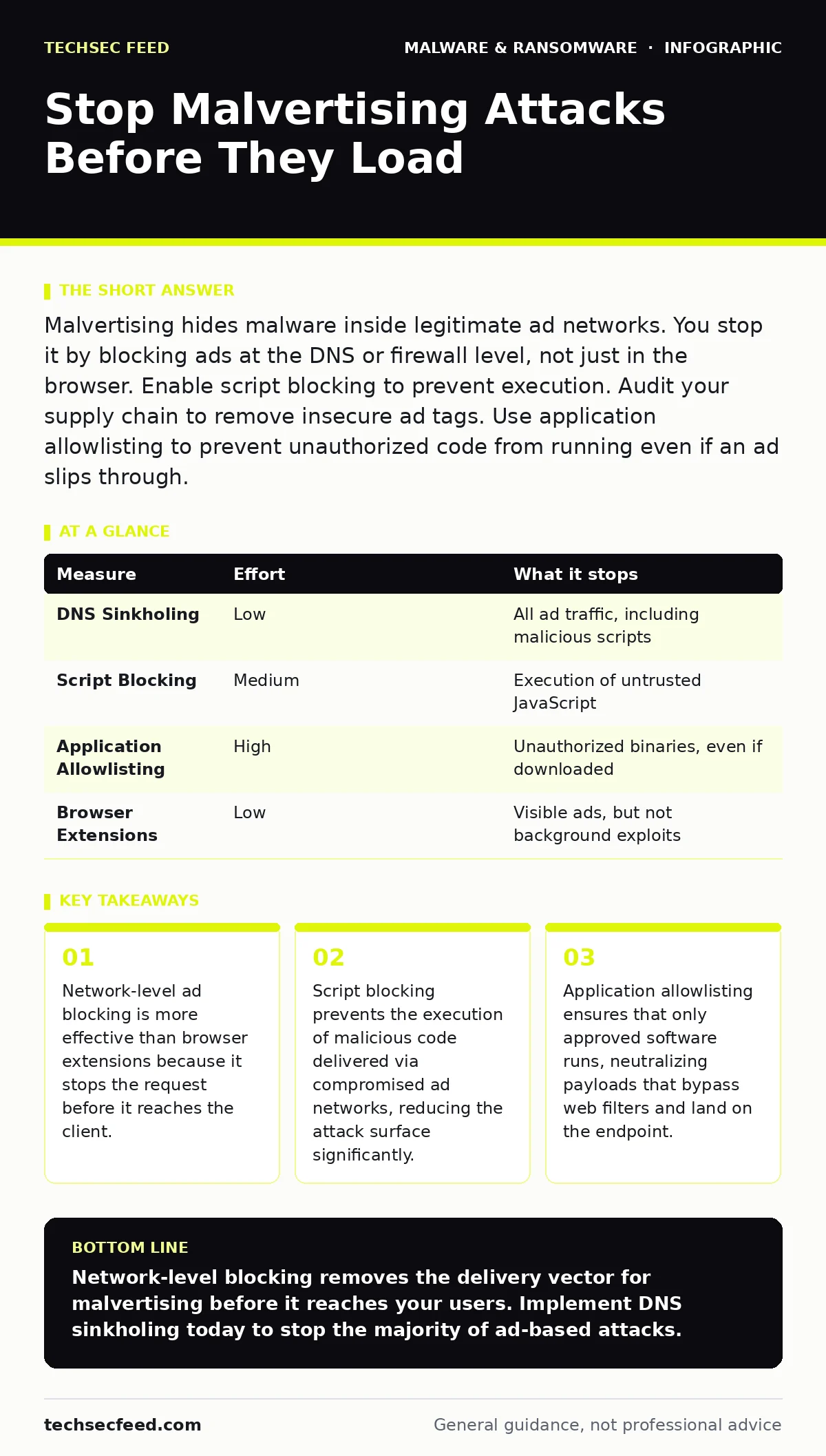
Malvertising hides malware inside legitimate ad networks. You stop it by blocking ads at the DNS or firewall level, not just in the browser. Enable script blocking to prevent execution. Audit your supply chain to remove insecure ad tags. Use application allowlisting to prevent unauthorized code from running even if an ad slips through.
Why Client-Side Filters Fail
Most organizations rely on browser extensions to block advertisements. These tools operate on the user’s device and filter content after it has been requested. Malvertising exploits the gap between the request and the block. The malicious script often loads before the filter can identify it as harmful. This race condition allows the payload to execute in the background.
The ad network itself is usually legitimate. The compromise occurs at the creative level. A hacker injects malicious JavaScript into a valid ad slot. The browser sees a trusted domain and allows the connection. By the time the filter recognizes the bad code, the damage is often done. You cannot fix this race condition with better signatures alone.
Network-Level Ad Blocking
The most effective measure is to block ad traffic at the network perimeter. This stops the request before it reaches any endpoint. You configure your DNS sinkhole or firewall to drop requests to known ad domains. This approach removes the vector entirely. It does not matter if the ad is malicious or not; it never reaches the user.
This method requires maintaining a blocklist of ad domains. These lists are publicly available and updated frequently. You integrate them into your DNS resolution process. Any request to an ad server returns a null response. This reduces bandwidth and eliminates the delivery mechanism for malvertising. It is a foundational control for any security architecture.
| Measure | Effort | What it stops |
|---|---|---|
| DNS Sinkholing | Low | All ad traffic, including malicious scripts |
| Script Blocking | Medium | Execution of untrusted JavaScript |
| Application Allowlisting | High | Unauthorized binaries, even if downloaded |
| Browser Extensions | Low | Visible ads, but not background exploits |
Implementing Script Blocking
When you cannot block all ads, you must control what runs. Script blocking restricts the execution of JavaScript to approved domains. Browsers allow you to configure content security policies that define which scripts are permitted. This prevents malicious code from executing even if it loads.
Imagine a user visits a news site. The site loads an ad from a third party. The ad contains a malicious script. If your policy only allows scripts from the news site’s domain, the ad’s script fails to run. The user sees the page, but the malware is neutralized. This is a critical defense against drive-by downloads.
The Role of Application Allowlisting
Even if a malicious script executes, it must install something to persist. Application allowlisting ensures that only approved applications can run on your systems. This is the final line of defense. If a downloader lands on the machine, it cannot execute because it is not on the allowlist.
This control is particularly effective against polymorphic malware. The malware changes its signature to evade detection. However, it cannot change its hash or publisher identity if you require signed binaries. You define a list of approved hashes and publishers. Any other attempt to execute is blocked. This removes the ability of malware to establish a foothold.
Supply Chain Validation
Malvertising often targets specific websites. Hackers compromise the site’s ad management system. They inject malicious redirects into the ad tags. You must validate the integrity of your ad supply chain. This means monitoring the ad tags served by your partners.
You should implement subresource integrity checks. These checks verify that the scripts loaded from external domains have not been tampered with. If the hash of the script changes, the browser refuses to load it. This prevents the execution of compromised ad creatives. It adds a layer of verification to the content delivery process.
See also: Dynamic Malware Analysis Misconceptions: 6 Errors That Skew Your Results · Potentially Unwanted Programs Prevention Checklist for Secure Systems
What Does Not Work
Many teams believe that updating antivirus software is enough. Traditional antivirus relies on known signatures. Malvertising uses novel payloads that have no signature yet. The software waits for the file to be written to disk. By then, the exploit has already run in memory. This is a reactive measure, not a preventive one.
Heuristic scanning is better but still falls short. It looks for suspicious behavior patterns. Sophisticated malvertising mimics legitimate behavior to avoid detection. It loads slowly and interacts with the system in ways that appear normal. Heuristics often miss these subtle deviations. You need structural controls, not just behavioral analysis.
Prioritizing Your Defense
You must layer these controls. Start with network-level blocking. It is the easiest to implement and provides the broadest protection. Then add script blocking to handle edge cases where ads must be allowed. Finally, implement application allowlisting to stop any remaining threats.
This approach addresses the entire kill chain. It prevents delivery, execution, and persistence. It does not rely on the user’s behavior. It does not depend on the speed of signature updates. It provides a consistent security posture across all devices and users.
Closing Checklist
- Configure DNS sinkholing to block known ad domains at the network level.
- Deploy content security policies to restrict JavaScript execution to trusted sources.
- Audit your ad supply chain for subresource integrity checks on all external scripts.
Key takeaways
- Network-level ad blocking is more effective than browser extensions because it stops the request before it reaches the client.
- Script blocking prevents the execution of malicious code delivered via compromised ad networks, reducing the attack surface significantly.
- Application allowlisting ensures that only approved software runs, neutralizing payloads that bypass web filters and land on the endpoint.
Network-level blocking removes the delivery vector for malvertising before it reaches your users. Implement DNS sinkholing today to stop the majority of ad-based attacks.
Frequently asked questions
Does blocking ads at the firewall stop all malvertising?
It stops the majority of attacks by preventing the request to ad servers. However, if an ad network is compromised and uses a domain not on your blocklist, the threat may still pass through. You need layered defenses.
How does script blocking differ from ad blocking?
Ad blocking prevents the content from loading. Script blocking allows the content to load but prevents the code from executing. This is useful when you cannot block the ad domain but want to ensure no malicious code runs.
Can application allowlisting stop ransomware delivered via ads?
Yes, if the ransomware binary is not approved on your system. Allowlisting prevents the execution of unauthorized files. Even if the ransomware downloads, it cannot run to encrypt your data.
Is it safe to disable JavaScript entirely?
Disabling JavaScript breaks many modern websites. It is better to use granular script blocking. This allows safe scripts to run while blocking unknown or untrusted code. It balances usability with security.
How this guide was produced: written by the TechSec Feed editorial team with AI assistance, checked against the public references listed below, and reviewed when the facts change. See our editorial policy or report an error.