
Application Allowlisting Misunderstandings That Break Security Controls
Allowlisting blocks execution rather than scanning content, which stops unknown threats but requires strict operational discipline to avoid breaking legitimate business processes.
Application allowlisting blocks all software except explicitly approved binaries. Misunderstandings include treating it as a virus scanner, ignoring scripts, or assuming it prevents data theft. Correct usage requires maintaining a precise inventory of authorized executables and understanding that it enforces a white-list policy, not a threat-detection policy.
Misreading: It replaces antivirus software
Correct reading: Application allowlisting and antivirus perform fundamentally different functions. Antivirus scans file contents against known signatures or behavioral heuristics. Allowlisting verifies the identity of the executable before the operating system loads it into memory. You cannot replace one with the other. A missing antivirus leaves you blind to file-based threats that do not execute, such as document macros that trigger remote downloads.
A missing allowlisting layer leaves you vulnerable to zero-day exploits that bypass signature detection. The two tools complement each other. Allowlisting prevents the initial execution of malicious code. Antivirus detects residual artifacts or files that were downloaded but never run. Relying on allowlisting alone creates a gap in your defense against non-executable threats.
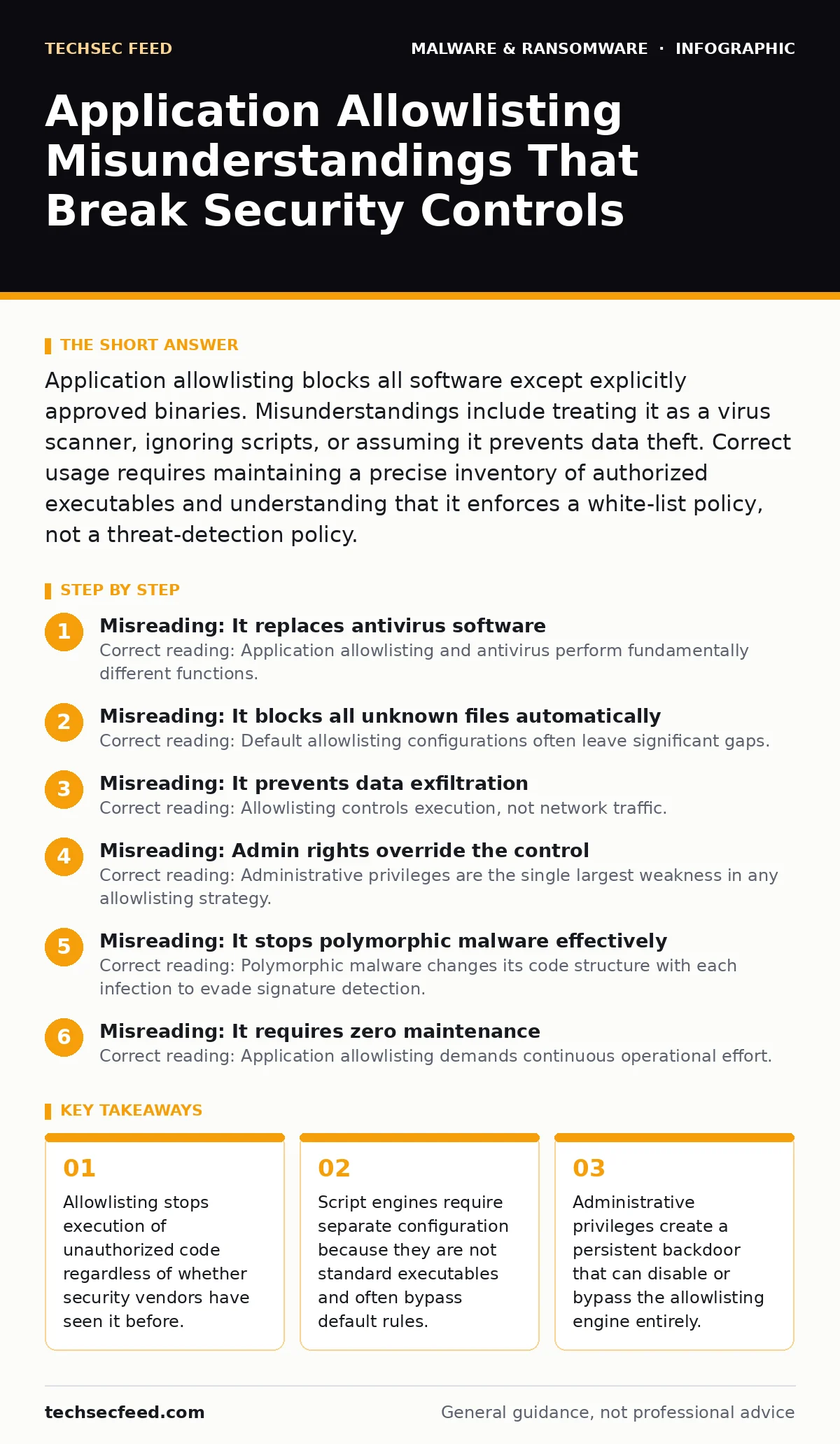
Misreading: It blocks all unknown files automatically
Correct reading: Default allowlisting configurations often leave significant gaps. Many implementations block unknown executables but allow all scripts to run by default. This is a dangerous configuration error. Scripts are interpreted code. They can perform any action that an executable can perform.
If you do not explicitly configure the allowlisting engine to treat script engines as restricted execution contexts, an attacker can drop a PowerShell script and run it freely. You must define rules for every interpreter on your system. This includes PowerShell, Python, Bash, and VBScript. Without these specific rules, your allowlisting policy provides a false sense of security. The system will block a strange DLL but happily run a malicious script that exfiltrates your credentials.
Misreading: It prevents data exfiltration
Correct reading: Allowlisting controls execution, not network traffic. An approved application can do anything the operating system permits. If you allowlist a web browser, that browser can connect to any server on the internet. If you allowlist a file transfer tool, it can send data out of your network. Allowlisting does not inspect packet contents or destination addresses.
It only checks if the binary running is on your approved list. To prevent data theft, you need data loss prevention tools or network segmentation. Do not assume that restricting software installation stops data leakage. An authorized tool used maliciously will bypass allowlisting controls entirely. You must monitor network activity separately from execution controls.
Misreading: Admin rights override the control
Correct reading: Administrative privileges are the single largest weakness in any allowlisting strategy. Most allowlisting solutions enforce policies strictly for standard users. When a user logs in with local or domain administrator rights, the software often grants full execution permissions. This is by design in many legacy systems to prevent the admin from locking themselves out.
However, it means that if an attacker gains admin credentials, they can bypass all allowlisting rules. They can install new tools, disable the allowlisting service, or modify the policy database. You must restrict administrative access to a small, privileged group. Use privileged access management to grant temporary admin rights only when needed. Without this separation, your allowlisting policy is easily neutralized by credential theft.
Misreading: It stops polymorphic malware effectively
Correct reading: Polymorphic malware changes its code structure with each infection to evade signature detection. Allowlisting is actually highly effective against this threat. Since allowlisting relies on cryptographic hashes or publisher signatures rather than code patterns, the changing appearance of the malware is irrelevant. If the new variant is not on your approved list, it will not run.
This is a distinct advantage over traditional signature-based scanning. However, this effectiveness depends on your baseline being accurate. If you accidentally allowed a benign tool that later gets compromised, the allowlisting system will protect the compromised binary. You must regularly audit your allowlist to ensure no unauthorized applications have been added over time.
See also: Potentially Unwanted Programs Prevention Checklist for Secure Systems · Disaster Recovery Plans: Benefits, Limits, and When to Build One
Misreading: It requires zero maintenance
Correct reading: Application allowlisting demands continuous operational effort. Software updates change file hashes. New applications are installed for business needs. If you do not update your allowlist, legitimate software will fail to run, causing business disruption. This is called "alert fatigue" or "block fatigue." Your users will report that critical tools are broken.
Your security team must triage these reports to determine if the blocked item is legitimate. If you approve every blocked item without verification, you degrade the security posture. If you ignore reports, you hurt productivity. You need a streamlined process for requesting and approving new software. This often involves integrating with your patch management systems to automatically allowlist vendor-signed updates.
Misreading: It works the same on all operating systems
Correct reading: Implementation details vary significantly between Windows, macOS, and Linux. Windows has native features like AppLocker and WDAC that provide robust allowlisting capabilities. macOS uses Gatekeeper and notarization, which are more restrictive and harder to customize. Linux systems rely on SELinux or AppArmor, which are complex to configure correctly.
You cannot apply a single policy across all platforms. Each operating system requires a tailored approach. For example, script blocking on Windows requires specific rules for PowerShell execution policies. On macOS, you must manage code signing certificates. Understanding these platform-specific differences is critical. A policy that works on Windows servers may fail completely on macOS workstations.
Misreading: It prevents all post-exploitation actions
Correct reading: Allowlisting stops initial execution but does not secure the system after a breach. If an attacker uses a living-off-the-land binary, such as PsExec or CertUtil, which are part of the Windows OS, allowlisting may not block them. These tools are signed by Microsoft and often allowed by default. Attackers can use them to move laterally, dump credentials, or disable security services. You must combine allowlisting with other controls. Disabling unnecessary built-in tools is one option. Monitoring for suspicious usage of allowed tools is another. Allowlisting is a boundary control. It does not replace endpoint detection and response or user behavior analytics.
Key takeaways
- Allowlisting stops execution of unauthorized code regardless of whether security vendors have seen it before.
- Script engines require separate configuration because they are not standard executables and often bypass default rules.
- Administrative privileges create a persistent backdoor that can disable or bypass the allowlisting engine entirely.
Frequently asked questions
Does application allowlisting stop ransomware?
It stops ransomware executables from running if they are not on the allowlist. However, if the ransomware uses allowed system tools or scripts, it may still execute. You must configure script blocking separately to maximize protection.
How do I handle software updates?
Configure your allowlisting tool to automatically trust updates from verified publishers. This requires integrating with your patch management system. Manual approval for every update is not scalable and creates operational bottlenecks.
What is the difference between allowlisting and blocking?
Blocking denies known bad files. Allowlisting allows only known good files. Blocking misses new threats. Allowlisting stops new threats by default but requires more initial setup and ongoing maintenance to ensure legitimate software continues to work.
Can I use allowlisting for remote access tools?
Yes, but you must be careful. Remote access tools often need high privileges. If you allowlist a remote tool, an attacker who compromises that tool gains immediate access. Restrict remote tool usage to specific, monitored machines and enforce strict authentication.
How this guide was produced: written by the TechSec Feed editorial team with AI assistance, checked against the public references listed below, and reviewed when the facts change. See our editorial policy or report an error.