
Detect Data Scraping: Warning Signs and Response Steps
Most scraping attempts bypass standard rate limits by mimicking human behavior, making traffic volume an unreliable indicator of compromise.
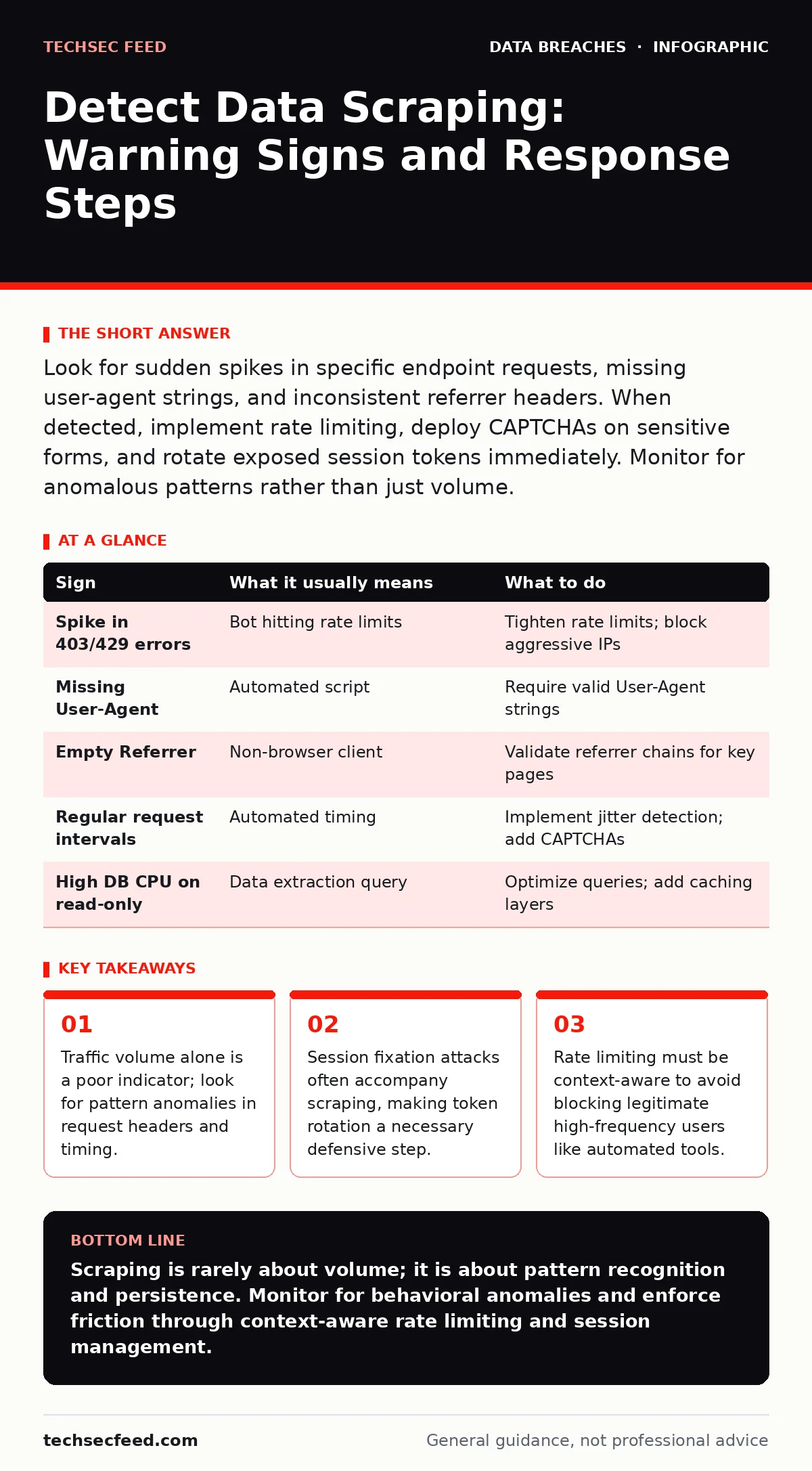
Look for sudden spikes in specific endpoint requests, missing user-agent strings, and inconsistent referrer headers. When detected, implement rate limiting, deploy CAPTCHAs on sensitive forms, and rotate exposed session tokens immediately. Monitor for anomalous patterns rather than just volume.
The Obvious Anomalies
You will likely notice the first signs through sudden changes in server load or error logs. These are the loud signals that indicate a scraping bot is actively hitting your endpoints. They are easy to spot but often arrive after significant data has already been extracted.
A sharp increase in HTTP 403 Forbidden or 429 Too Many Requests errors is a primary indicator. These status codes suggest that your firewall or application layer is rejecting requests that exceed defined thresholds. If you see this spike concentrated on a single page or API endpoint, it is likely a scraper trying to bypass access controls.
Another visible sign is unusual CPU or memory usage on your database servers. Scrapers often request pages in parallel, forcing your backend to process more queries than normal users would generate. This resource contention can degrade performance for legitimate visitors, creating a secondary operational issue beyond data loss.
The Silent Indicators
The more dangerous scraping attempts are quiet. They mimic human behavior closely enough to evade basic rate limits. These signs require deeper analysis of request headers and behavioral patterns rather than just monitoring traffic volume.
Check for missing or generic User-Agent strings. Legitimate browsers send detailed identification information about the operating system and browser version. Scrapers often omit this field or use a generic string like "Mozilla/5.0" without specific version details. This lack of specificity is a red flag for automated tools.
Look for inconsistent Referrer headers. When a user navigates from one page to another, the browser sends the source URL in the referrer field. Scrapers often ignore this protocol, sending requests with an empty referrer or a referrer that does not logically precede the requested resource. This breaks the expected navigation flow of a real user.
Timing is another subtle clue. Humans pause between clicks and page loads. Scrapers often send requests at mathematically regular intervals, such as exactly every 2.5 seconds. This lack of natural variance is a statistical anomaly that can be detected by analyzing request timestamps over time.
Immediate Response Actions
When you identify a scraping pattern, your response must be immediate and layered. Simply blocking an IP address is rarely sufficient, as scrapers often use large pools of rotating proxies. You need to increase the friction for the attacker while maintaining usability for legitimate users.
Implement rate limiting based on behavioral context, not just IP address. Limit the number of requests a single session can make to sensitive endpoints within a short time window. This forces the scraper to slow down or use more resources, increasing their cost and reducing their efficiency.
Deploy CAPTCHAs on forms or login pages that are being targeted. This challenge-response test verifies that a human is interacting with the site. While this adds friction, it is an effective barrier against automated scripts that cannot solve visual or logical puzzles.
Rotate exposed session tokens immediately. If a scraper has access to user sessions, they may be performing session fixation attacks. See the guide on stolen session tokens for details on how to invalidate compromised sessions. This prevents the attacker from hijacking user accounts even if they have scraped session IDs.
| Sign | What it usually means | What to do |
|---|---|---|
| Spike in 403/429 errors | Bot hitting rate limits | Tighten rate limits; block aggressive IPs |
| Missing User-Agent | Automated script | Require valid User-Agent strings |
| Empty Referrer | Non-browser client | Validate referrer chains for key pages |
| Regular request intervals | Automated timing | Implement jitter detection; add CAPTCHAs |
| High DB CPU on read-only | Data extraction query | Optimize queries; add caching layers |
Long-Term Mitigation Strategies
Preventing future scraping requires architectural changes that make data extraction difficult without hindering legitimate use. You must balance security with user experience, as overly aggressive protections can drive away valid visitors.
Use encryption in transit to protect data as it moves between the user and your server. While this does not stop scraping, it prevents intermediaries from intercepting the data stream. Ensure your TLS configuration is up to date to maintain this security baseline.
Consider implementing data anonymization for public-facing datasets. If you must publish data, remove personally identifiable information that could be used for identity theft or profiling. This reduces the value of the scraped data, making the effort less attractive to attackers.
Regularly audit your API endpoints for unnecessary exposure. Many scraping incidents occur because developers left internal debugging endpoints or unauthenticated API routes active. Closing these doors reduces the attack surface available to automated tools.
Related Security Considerations
Scraping often serves as a precursor to more serious attacks. The data collected can be used to craft targeted phishing campaigns or to test credentials. Understanding the broader context helps you prioritize your defense efforts.
Weak password policies can exacerbate the damage of scraped data. If attackers harvest email addresses and names, they can combine this with leaked password databases to attempt logins. Review your authentication requirements to ensure they meet current standards.
Child identity theft is a specific risk if you handle data from minors. Scraped information can be used to build fraudulent identities before the victim has a credit history. Implement strict access controls and data minimization for these records.
See also: What is Hard Disk Encryption and How It Protects Data
FAQ
Q: How can I distinguish between a search engine bot and a malicious scraper?
A: Search engines typically identify themselves with specific User-Agent strings and respect robots.txt files. Malicious scrapers often ignore these conventions or use generic identifiers to blend in with normal traffic.
Q: Does HTTPS prevent data scraping?
A: No, HTTPS only encrypts the data in transit. It does not prevent a legitimate-looking client from requesting and receiving public data. Scrappers can establish encrypted connections just like regular users.
Q: What is the most effective way to stop a scraper using residential proxies?
A: Behavioral analysis is most effective. Track mouse movements, click patterns, and request timing. Residential proxies cannot replicate human-like interaction patterns consistently, allowing you to detect and block them.
Q: Should I block all automated traffic to my site?
A: No, many legitimate tools and services use automated traffic. Instead, implement a challenge-based system that allows automation only after verification. This balances security with the needs of legitimate automated users.
Key takeaways
- Traffic volume alone is a poor indicator; look for pattern anomalies in request headers and timing.
- Session fixation attacks often accompany scraping, making token rotation a necessary defensive step.
- Rate limiting must be context-aware to avoid blocking legitimate high-frequency users like automated tools.
Scraping is rarely about volume; it is about pattern recognition and persistence. Monitor for behavioral anomalies and enforce friction through context-aware rate limiting and session management.
Frequently asked questions
How can I distinguish between a search engine bot and a malicious scraper?
Search engines typically identify themselves with specific User-Agent strings and respect robots.txt files. Malicious scrapers often ignore these conventions or use generic identifiers to blend in with normal traffic.
Does HTTPS prevent data scraping?
No, HTTPS only encrypts the data in transit. It does not prevent a legitimate-looking client from requesting and receiving public data. Scrappers can establish encrypted connections just like regular users.
How this guide was produced: written by the TechSec Feed editorial team with AI assistance, checked against the public references listed below, and reviewed when the facts change. See our editorial policy or report an error.