Phishing Prevention Checklist for Technical Defenses
Most phishing failures originate from configuration gaps in email gateways and identity providers rather than user error alone.
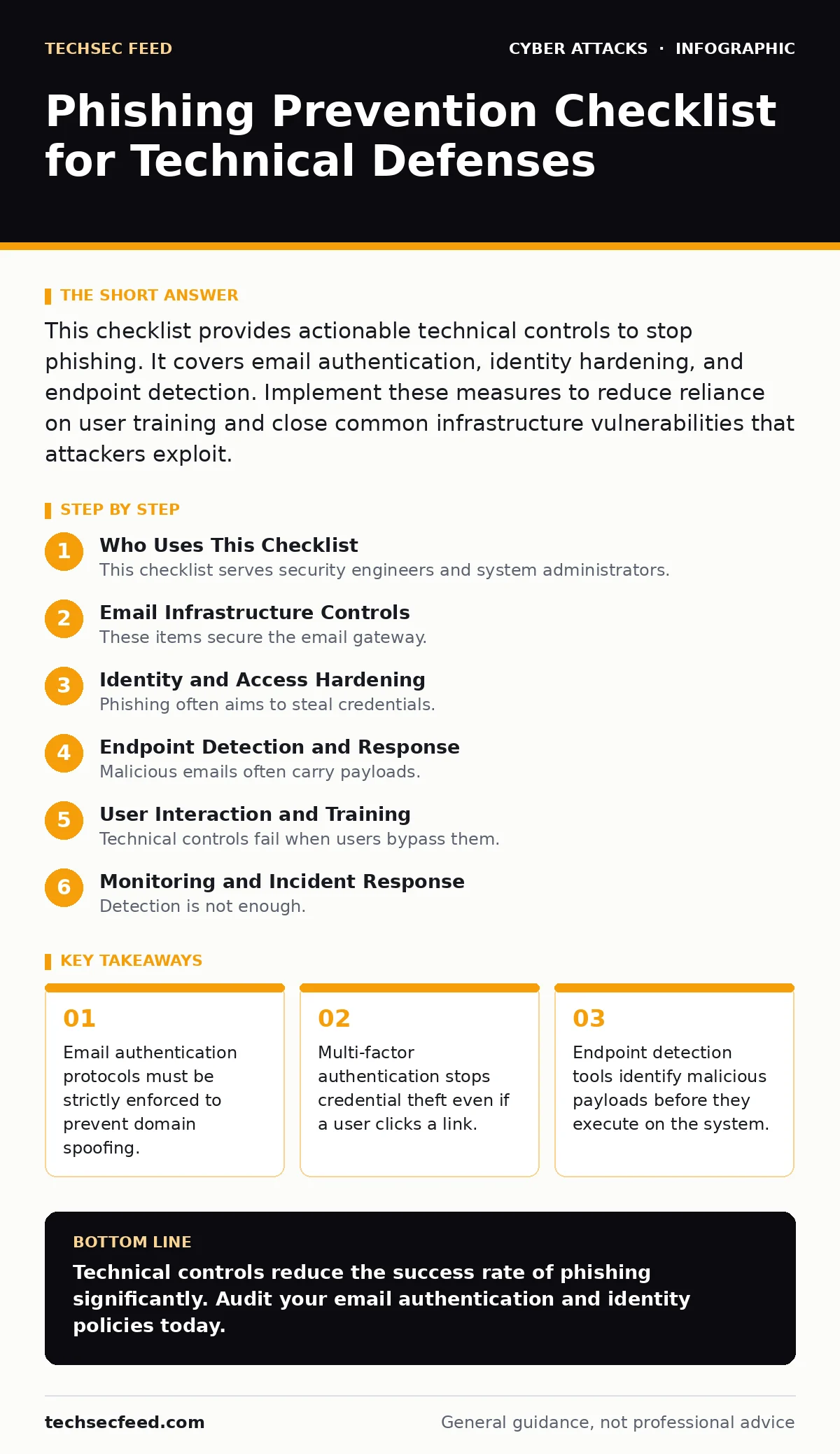
This checklist provides actionable technical controls to stop phishing. It covers email authentication, identity hardening, and endpoint detection. Implement these measures to reduce reliance on user training and close common infrastructure vulnerabilities that attackers exploit.
Who Uses This Checklist
This checklist serves security engineers and system administrators. It targets the infrastructure layer where phishing attacks succeed before a user interacts with them. You use this list to audit your current defenses. Each item represents a specific control that reduces the attack surface. The goal is to automate rejection of malicious messages and block credential harvesting at the protocol level.
Email Infrastructure Controls
These items secure the email gateway. They ensure that messages claiming to come from trusted sources actually originate from those sources.
- Enforce DMARC policies: Domain-based Message Authentication, Reporting, and Conformance (DMARC) tells receivers how to handle emails that fail authentication checks.
- Configure SPF records: Sender Policy Framework (SPF) lists authorized sending IP addresses for your domain, preventing unauthorized servers from sending mail.
- Enable DKIM signing: DomainKeys Identified Mail (DKIM) adds a cryptographic signature to emails, allowing receivers to verify the message was not altered in transit.
DMARC is the enforcement mechanism. Without it, SPF and DKIM only provide data. A strict DMARC policy rejects messages that fail authentication. This stops spoofing attempts where attackers mimic your domain name. Many organizations leave DMARC in monitoring mode for years. This leaves the door open for lookalike domains and subdomain spoofing.
Identity and Access Hardening
Phishing often aims to steal credentials. These controls limit the damage when credentials are compromised. They shift security from something you know to something you have or are.
- Deploy phishing-resistant MFA: Multi-factor authentication (MFA) methods like FIDO2 security keys cannot be intercepted by phishing sites because they bind to the specific domain.
- Disable legacy authentication protocols: Older protocols like NTLM or basic auth lack modern security features and are frequently targeted by credential stuffing.
- Implement conditional access policies: These rules restrict login attempts based on device health, location, or risk level, blocking suspicious access automatically.
Traditional SMS or app-based MFA can be bypassed. Attackers use real-time proxy servers to steal session tokens during the authentication process. This is known as callback phishing. Phishing-resistant MFA uses public key cryptography. The private key never leaves the device. The server verifies the signature without exposing a reusable secret. This eliminates the interception vector entirely.
Endpoint Detection and Response
Malicious emails often carry payloads. These controls detect and contain threats after they reach the user’s device. They rely on behavior analysis rather than static signatures.
- Enable application whitelisting: This restricts execution to approved software, preventing unknown scripts or binaries from running even if downloaded.
- Configure macro blocking: Microsoft Office macros are a common delivery mechanism for malware; blocking them by default stops most automated attacks.
- Isolate network segments: Separating critical systems from general user networks limits lateral movement if an endpoint is compromised.
Application whitelisting is restrictive. It requires maintenance as new legitimate software is installed. However, it is highly effective against fileless malware. Macros are often disabled by default in modern configurations, but some users re-enable them. Enforcing this via group policy ensures consistency. Network segmentation adds complexity to administration. It also slows down internal communication. The trade-off is reduced blast radius during a breach.
User Interaction and Training
Technical controls fail when users bypass them. These items address the human element without relying solely on awareness. They focus on reducing friction for safe behavior.
- Simplify reporting mechanisms: One-click phishing reporting tools allow users to flag suspicious emails quickly, feeding data into your security operations center.
- Hide sensitive data in URLs: Avoid displaying full URLs in email clients; use hover states or link previews to reveal the actual destination.
- Train on social engineering red flags: Users must recognize urgency, secrecy, and unusual requests, which are common tactics in spear phishing campaigns.
Reporting tools provide intelligence. Analyzing reported emails helps tune your filters. Hiding URLs prevents accidental clicks on malicious links that look legitimate. Training must be specific. Generic advice about "checking links" is ineffective. Users need to understand how attackers manipulate trust. They should recognize when a request violates standard procedure. This complements technical controls by catching what automation misses.
See also: What is Formjacking: How Hidden Scripts Steal Payment Data
Monitoring and Incident Response
Detection is not enough. You must respond to incidents quickly. These items ensure you have the visibility and procedures to handle breaches.
- Log all authentication events: Detailed logs of login attempts, including failures, provide evidence for investigation and anomaly detection.
- Define incident playbooks: Pre-written procedures for common scenarios, such as credential theft or malware infection, speed up response times.
- Conduct regular tabletop exercises: Simulating attacks tests your team’s ability to execute playbooks and identifies gaps in communication.
Logs are useless if not analyzed. You need a system to correlate events across different sources. Playbooks must be updated regularly. They should reflect current infrastructure and threats. Tabletop exercises reveal coordination issues. They also highlight missing tools or permissions. This preparation reduces chaos during a real incident. It ensures that technical and human responses are aligned.
Key takeaways
- Email authentication protocols must be strictly enforced to prevent domain spoofing.
- Multi-factor authentication stops credential theft even if a user clicks a link.
- Endpoint detection tools identify malicious payloads before they execute on the system.
Technical controls reduce the success rate of phishing significantly. Audit your email authentication and identity policies today.
Frequently asked questions
How does DMARC stop phishing?
DMARC allows domain owners to specify how receivers should handle emails that fail SPF or DKIM checks. A strict policy causes receivers to reject or quarantine these messages, preventing them from reaching the user’s inbox.
Is SMS MFA secure against phishing?
SMS MFA is vulnerable to SIM swapping and interception. Attackers can redirect SMS codes to their own devices. Phishing-resistant MFA methods like FIDO2 keys are more secure because they bind to the specific website domain.
What is the difference between phishing and spear phishing?
Phishing targets a large group with generic messages. Spear phishing targets specific individuals or organizations with personalized content. The personalization increases the likelihood of success by exploiting known relationships or roles.
How do I detect a watering hole attack?
Watering hole attacks compromise websites visited by a target group. You detect them by monitoring for unexpected changes on trusted sites and analyzing traffic patterns for signs of drive-by downloads or exploit kits.
How this guide was produced: written by the TechSec Feed editorial team with AI assistance, checked against the public references listed below, and reviewed when the facts change. See our editorial policy or report an error.