Spear Phishing Risks for Small Teams: Technical Defenses
Small organizations face targeted attacks not because they are weak, but because their flat network structures allow a single compromised credential to bypass traditional perimeter defenses.
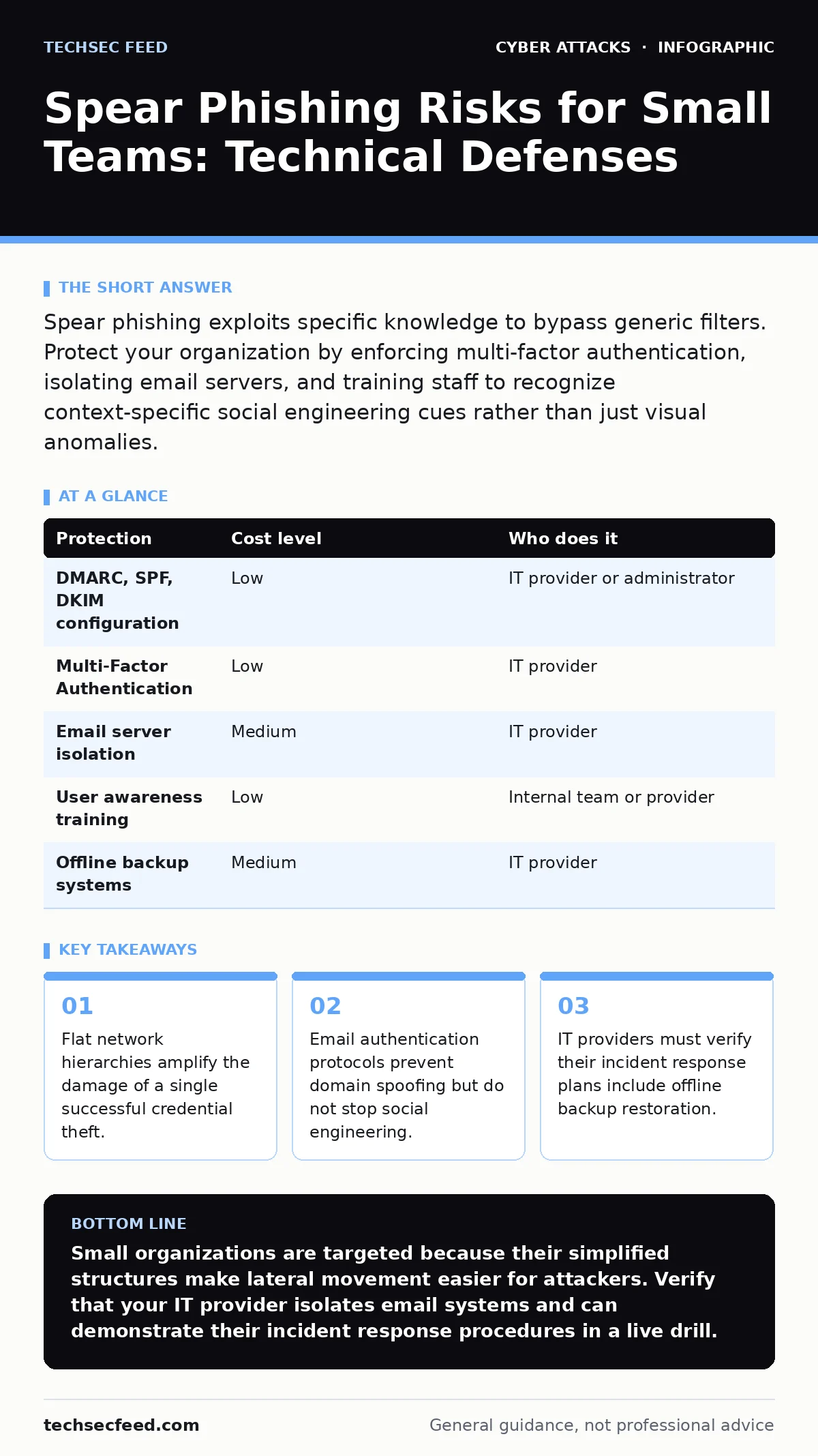
Spear phishing exploits specific knowledge to bypass generic filters. Protect your organization by enforcing multi-factor authentication, isolating email servers, and training staff to recognize context-specific social engineering cues rather than just visual anomalies.
The Anatomy of Targeted Deception
Spear phishing differs from bulk spam because it uses specific information about you or your organization. The attacker researches your role, your recent projects, or your reporting structure. This personalization increases the likelihood that you will trust the sender. The goal is rarely immediate malware installation. Instead, the objective is often credential harvesting or the establishment of a persistent access point.
The threat model relies on the assumption that you will prioritize convenience over verification. If an email appears to come from your CEO, you may skip security checks to avoid delaying urgent work. This psychological shortcut is the primary vector. The technical sophistication of the message is secondary to the accuracy of the social context.
Why Small Organizations Face Disproportionate Risk
Small teams often operate with flat hierarchies. This means fewer layers of approval for sensitive actions. An attacker who compromises one account may gain access to resources that would be segmented in larger enterprises. You lack the redundant systems that large corporations use to detect anomalies. A single point of failure in your email system can become a point of failure for your entire network.
Resource constraints also limit your ability to monitor traffic continuously. You may not have dedicated security analysts to review logs. This creates a blind spot where slow-moving threats remain undetected for weeks. The attacker does not need to break into your firewall. They only need to convince you to open the door. This asymmetry favors the attacker in most engagements.
Technical Controls That Reduce Attack Surface
Email authentication protocols provide a baseline of trust. Domain-based Message Authentication, Reporting, and Conformance (DMARC) verifies that emails claiming to come from your domain are authorized. Sender Policy Framework (SPF) specifies which mail servers are permitted to send email on behalf of your domain. DomainKeys Identified Mail (DKIM) adds a digital signature to emails. These mechanisms prevent attackers from spoofing your domain address.
However, these protocols do not protect against messages sent from legitimate external accounts. If an attacker compromises a real customer's email, DMARC will validate the message. You must implement Multi-Factor Authentication (MFA) to protect against credential reuse. MFA requires a second form of verification, such as a time-based code or hardware key. This stops an attacker from using a stolen password to access your systems.
| Protection | Cost level | Who does it |
|---|---|---|
| DMARC, SPF, DKIM configuration | Low | IT provider or administrator |
| Multi-Factor Authentication | Low | IT provider |
| Email server isolation | Medium | IT provider |
| User awareness training | Low | Internal team or provider |
| Offline backup systems | Medium | IT provider |
The Hidden Cost of Email Isolation
Many small businesses host their email on the same platform as their file storage and collaboration tools. This integration is convenient but risky. If your email server is compromised, the attacker may pivot to your shared drives. Isolating your email infrastructure limits this lateral movement. You can achieve this by using a separate vendor for email than for file storage.
This separation adds complexity to your daily workflow. Users may need to log into two different portals. The trade-off is increased friction for reduced risk. You must weigh the inconvenience against the potential loss of intellectual property. In many cases, the cost of a breach far exceeds the minor annoyance of managing separate credentials. This architectural choice is a strategic decision, not just a technical one.
What to Ask Your IT Provider
Your IT provider is your first line of defense. However, not all providers offer the same level of security oversight. You need to verify that they understand the specific threats facing small organizations. Ask them to explain their incident response process in detail. Do not accept vague assurances about "standard protection."
Specific questions reveal their actual capabilities. If they cannot explain how they detect a compromised account, they may not be monitoring for it. You need a partner who can articulate the trade-offs between security and usability. This ensures that you are making informed decisions about your infrastructure.
- How do you detect a compromised user account within the first hour?
- Can you demonstrate how email isolation prevents lateral movement to file servers?
- What is the process for restoring data from offline backups after ransomware?
- How often do you test the effectiveness of your monitoring tools?
- Do you provide logs that I can review to verify your security claims?
See also: Browser Security Settings for Small Business Teams · Privacy Laws for Small Business: Six Misreadings That Create Risk
Limitations of Automated Filtering
Automated email filters use rules to block known malicious content. These rules are updated regularly but are reactive by nature. An attacker can craft a message that bypasses these filters by using clean URLs and neutral language. The filter sees a safe message, but the context is malicious. This is why human vigilance remains necessary.
The effectiveness of filters depends on the quality of the threat intelligence they consume. If the attacker uses a new domain, the filter may not recognize it as malicious. This is known as a zero-day threat. You cannot rely on filtering alone. You must layer multiple controls to create depth. Each layer addresses a different failure mode of the previous one.
Integrating Broader Security Awareness
Spear phishing is often the entry point for more complex attacks. Once an attacker has access, they may attempt to escalate privileges or move laterally. Understanding how these attacks connect helps you prioritize your defenses. For example, a compromised email account can be used to launch callback phishing, where the attacker calls you posing as IT support.
You should also consider how your network architecture affects your exposure. The OSI model helps you visualize where attacks occur. Most phishing attacks target the application layer, but the consequences ripple down to the physical layer. Ignoring the lower layers leaves you vulnerable to other threats. For instance, if you are using unsecured wireless connections, you may face Bluetooth attacks that compromise devices before they even connect to your network.
Furthermore, consider the risk of watering hole attacks, where attackers compromise websites you frequently visit. This is a different vector but requires the same disciplined approach to verification. You must assume that any external link could be malicious. This mindset extends to how you handle sensitive data. Using RSA encryption for data at rest ensures that even if files are stolen, they remain unreadable without the key.
However, encryption does not prevent the initial breach. It only mitigates the impact. You must still focus on preventing unauthorized access. This holistic view of security connects seemingly disparate threats. It helps you build a defense that is resilient to multiple attack types.
Key takeaways
- Flat network hierarchies amplify the damage of a single successful credential theft.
- Email authentication protocols prevent domain spoofing but do not stop social engineering.
- IT providers must verify their incident response plans include offline backup restoration.
Small organizations are targeted because their simplified structures make lateral movement easier for attackers. Verify that your IT provider isolates email systems and can demonstrate their incident response procedures in a live drill.
Frequently asked questions
Does Multi-Factor Authentication stop all spear phishing?
No, MFA stops attackers from using stolen passwords, but it does not prevent you from clicking malicious links or revealing information in real-time conversations.
How do I know if my email is isolated?
Check if your email provider is a different company than your cloud storage provider. If they are the same, a breach in one service can compromise the other.
What is the difference between spam and spear phishing?
Spam is sent to many people with generic content. Spear phishing is targeted at a specific individual or organization using personalized information to build trust.
Should I block all external email links?
Blocking all external links is often impractical for business operations. Instead, train users to hover over links and verify the destination URL before clicking.
How this guide was produced: written by the TechSec Feed editorial team with AI assistance, checked against the public references listed below, and reviewed when the facts change. See our editorial policy or report an error.