
Bluetooth Attack Myths: What Security Teams Actually Need to Know
Physical proximity does not guarantee safety, and turning off Bluetooth often leaves hidden attack surfaces open for exploitation.
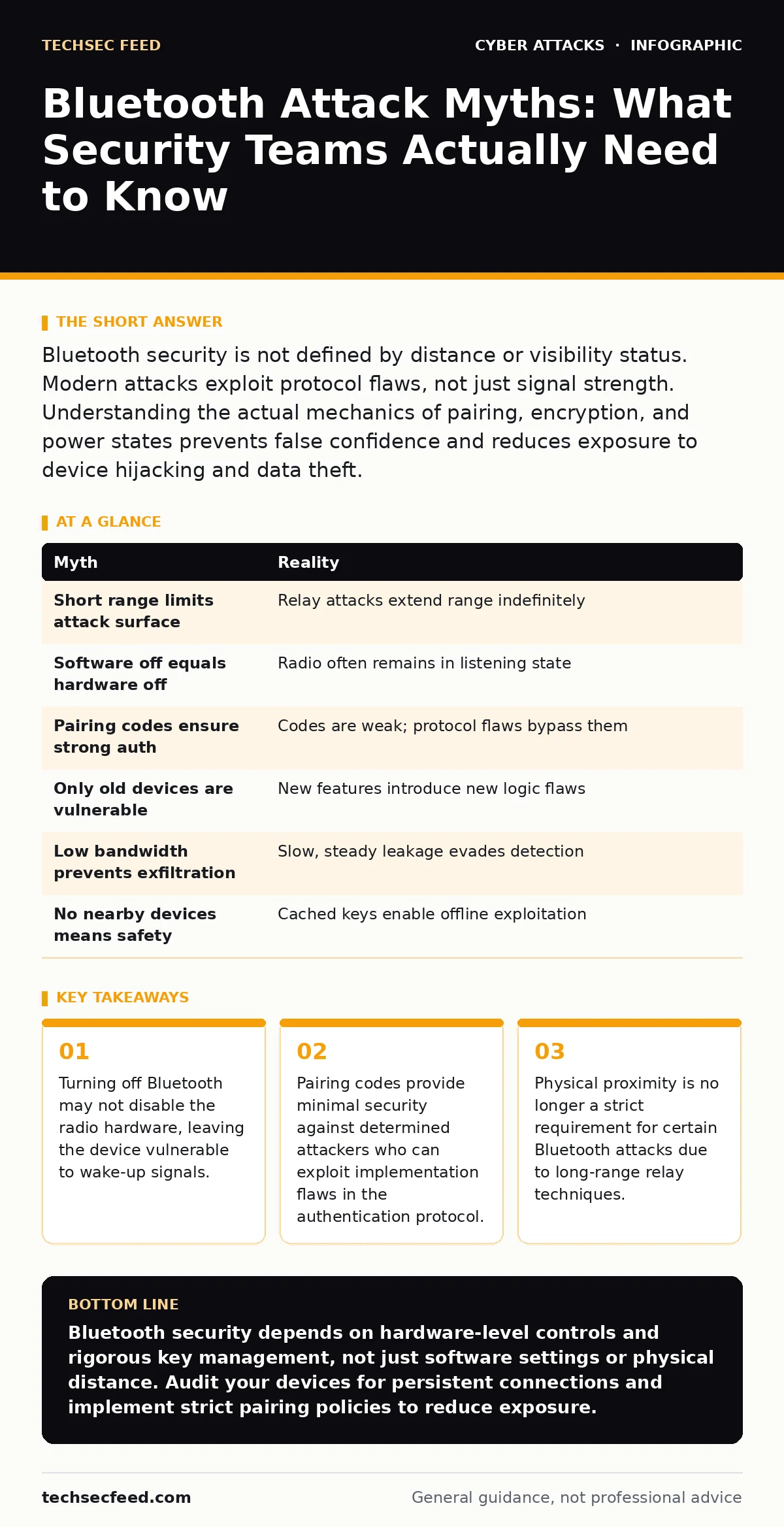
Bluetooth security is not defined by distance or visibility status. Modern attacks exploit protocol flaws, not just signal strength. Understanding the actual mechanics of pairing, encryption, and power states prevents false confidence and reduces exposure to device hijacking and data theft.
Myth: Bluetooth is only a threat within a few meters
Reality: The effective range of Bluetooth attacks has expanded beyond the traditional personal area network radius. While classic Bluetooth operates over short distances, modern attacks exploit relay techniques to bridge the gap between an attacker and the victim.
Imagine a scenario where an attacker stands outside a secure facility. They use two devices to capture and forward signals, effectively extending the reach of the Bluetooth handshake. This allows them to interact with a device inside the building as if they were standing next to it.
The protocol itself does not enforce a hard distance limit for authentication. It only requires that the signal is strong enough to be decoded. Attackers can amplify weak signals or use directional antennas to focus energy on a specific target.
This misconception leads defenders to assume that physical security perimeters are sufficient. They are not. The attack surface extends to wherever the attacker can project a signal that the victim device accepts as valid.
Myth: Turning off Bluetooth makes the device safe
Reality: Disabling the software toggle often leaves the hardware radio active. Many operating systems and device drivers keep the Bluetooth controller in a low-power listening state even when the user interface indicates it is off.
This state allows the device to respond to specific wake-up packets. An attacker can send a crafted packet that tricks the controller into powering up the full stack. Once active, the device may begin advertising its presence or accepting connections.
The distinction between "soft off" and "hard off" is critical. Soft off is a software setting that can be bypassed by understanding the hardware's power management protocols. Hard off requires removing power to the radio entirely, which is rarely possible on integrated devices.
Suppose you leave your laptop in a public space with Bluetooth "off." An attacker scans for devices responding to specific broadcast addresses. Your device replies, revealing its existence and potentially its identity. This exposure happens before the operating system even realizes the radio is active.
Myth: Pairing codes provide strong authentication
Reality: The numeric codes used during pairing are often short and predictable. They are designed for user convenience, not cryptographic strength. An attacker does not need to guess the code; they can often exploit the protocol to bypass it.
Many devices use Just Works pairing, which exchanges no code at all. It relies on the assumption that no one is eavesdropping on the radio frequency. This assumption fails in dense urban environments where sniffing is trivial.
Even when a code is displayed, the comparison happens locally on both devices. An attacker can manipulate the comparison logic or intercept the encrypted key exchange. If the implementation has flaws, the attacker can derive the long-term key without knowing the code.
The code is a single-use token for initial trust establishment. It does not protect subsequent communications if the key exchange was compromised. Once paired, devices often maintain a persistent link that does not require re-authentication.
This creates a persistent backdoor. If an attacker compromises the pairing session, they retain access until the bond is explicitly removed. Most users never review or remove old pairings, leaving these links active indefinitely.
Myth: Only outdated devices are vulnerable
Reality: Modern Bluetooth versions contain complex features that introduce new vulnerabilities. Enhanced Security and LE Secure Connections improve encryption, but they do not eliminate logic flaws or implementation errors.
Newer standards like Bluetooth 5.0 and 5.1 focus on range and data speed. They add features like direction finding and coded PHYs. These features expand the attack surface by introducing new packet types and signaling mechanisms.
Attackers target the complexity of the stack. A flaw in how a device handles a malformed packet can lead to a denial of service or remote code execution. These bugs exist in the latest firmware and operating system updates.
Imagine a smart home hub with the latest security patches. It still processes advertising packets from unknown devices. A crafted packet can crash the service, disrupting the entire home network. This is not a legacy issue; it is a contemporary design challenge.
Vulnerabilities are found in the implementation, not just the specification. Different vendors interpret the standard differently. This variance creates unique weaknesses in every device class, from medical implants to industrial controllers.
Myth: Bluetooth cannot exfiltrate large amounts of data
Reality: Bluetooth Low Energy (BLE) is optimized for low power, but it can still transmit significant data over time. Attackers use slow, steady exfiltration to avoid detection by network monitoring tools.
BLE allows for continuous data streaming. While the bandwidth is lower than Wi-Fi, it is sufficient for sending keystrokes, clipboard contents, or small files. This makes it ideal for keylogging or stealing credentials.
The attack does not need to be fast. It can occur over hours or days. The small packet sizes blend in with normal background traffic, such as health sensor updates or smart home syncs.
Suppose a compromised smartwatch is paired with a corporate phone. The watch can act as a relay, sending captured data to an attacker's device nearby. The data volume is small per packet, but the cumulative amount can be substantial.
This method bypasses traditional perimeter defenses. The data leaves the device via a different channel than the corporate network. It appears as local peripheral traffic, which is often trusted and unmonitored.
See also: Social Engineering Red Flags: 8 Signs of Manipulative Attacks · How the Attack Lifecycle Works: Mapping Stages to Defense Points
Myth: Bluetooth is secure if no one is nearby
Reality: Bluetooth devices often cache connection parameters and keys. These stored values can be extracted from the device's memory if an attacker gains physical access, even if no other Bluetooth devices are present.
This is a form of side-channel attack. The attacker does not need to intercept the airwaves. They need only to read the flash memory or RAM of the compromised device.
The stored keys allow the attacker to decrypt past communications or impersonate the device to other paired partners. This is known as a key recovery attack. It turns a past connection into a permanent security liability.
Imagine a stolen laptop. The thief does not need to hack the Bluetooth stack remotely. They can extract the stored keys and use them to connect to the victim's car or smart home system from a different location.
The security model assumes that the device itself is secure. If the device is compromised, the Bluetooth security is irrelevant. The keys are the crown jewels, and they are often stored with weak encryption or in plaintext.
Summary of Misconceptions
| Myth | Reality |
|---|---|
| Short range limits attack surface | Relay attacks extend range indefinitely |
| Software off equals hardware off | Radio often remains in listening state |
| Pairing codes ensure strong auth | Codes are weak; protocol flaws bypass them |
| Only old devices are vulnerable | New features introduce new logic flaws |
| Low bandwidth prevents exfiltration | Slow, steady leakage evades detection |
| No nearby devices means safety | Cached keys enable offline exploitation |
Understanding these realities shifts the focus from simple toggles to deeper architectural controls. You must treat Bluetooth as a persistent network interface, not just a short-range accessory.
For teams managing remote access, consider how these local attacks complement broader strategies. See our guide on man-in-the-middle attacks to understand how local interception fits into larger data theft campaigns. Also, review encryption at rest to protect cached keys if physical access is compromised.
Key takeaways
- Turning off Bluetooth may not disable the radio hardware, leaving the device vulnerable to wake-up signals.
- Pairing codes provide minimal security against determined attackers who can exploit implementation flaws in the authentication protocol.
- Physical proximity is no longer a strict requirement for certain Bluetooth attacks due to long-range relay techniques.
Bluetooth security depends on hardware-level controls and rigorous key management, not just software settings or physical distance. Audit your devices for persistent connections and implement strict pairing policies to reduce exposure.
Frequently asked questions
Can Bluetooth be used to install malware on my phone?
Yes, if the device accepts unsolicited file transfers or if the Bluetooth stack has a remote code execution vulnerability. Always disable automatic file acceptance.
Does Bluetooth drain battery faster when it is on?
Modern Bluetooth Low Energy consumes negligible power when idle. However, active connections or constant scanning for devices will increase battery usage significantly.
Are public Bluetooth hotspots safe to use?
No. Public hotspots often use weak authentication and can be spoofed by attackers to intercept your traffic. Use cellular data or trusted Wi-Fi instead.
How do I remove old Bluetooth pairings?
Go to your device's Bluetooth settings, find the paired device list, and select "Forget" or "Remove" for each entry. This deletes the stored keys for that specific device.
How this guide was produced: written by the TechSec Feed editorial team with AI assistance, checked against the public references listed below, and reviewed when the facts change. See our editorial policy or report an error.