
Stolen Session Tokens: Risks and Protection for Small Businesses
Attackers bypass password checks by stealing active session tokens, rendering standard credential hygiene and multi-factor authentication completely ineffective for that session.
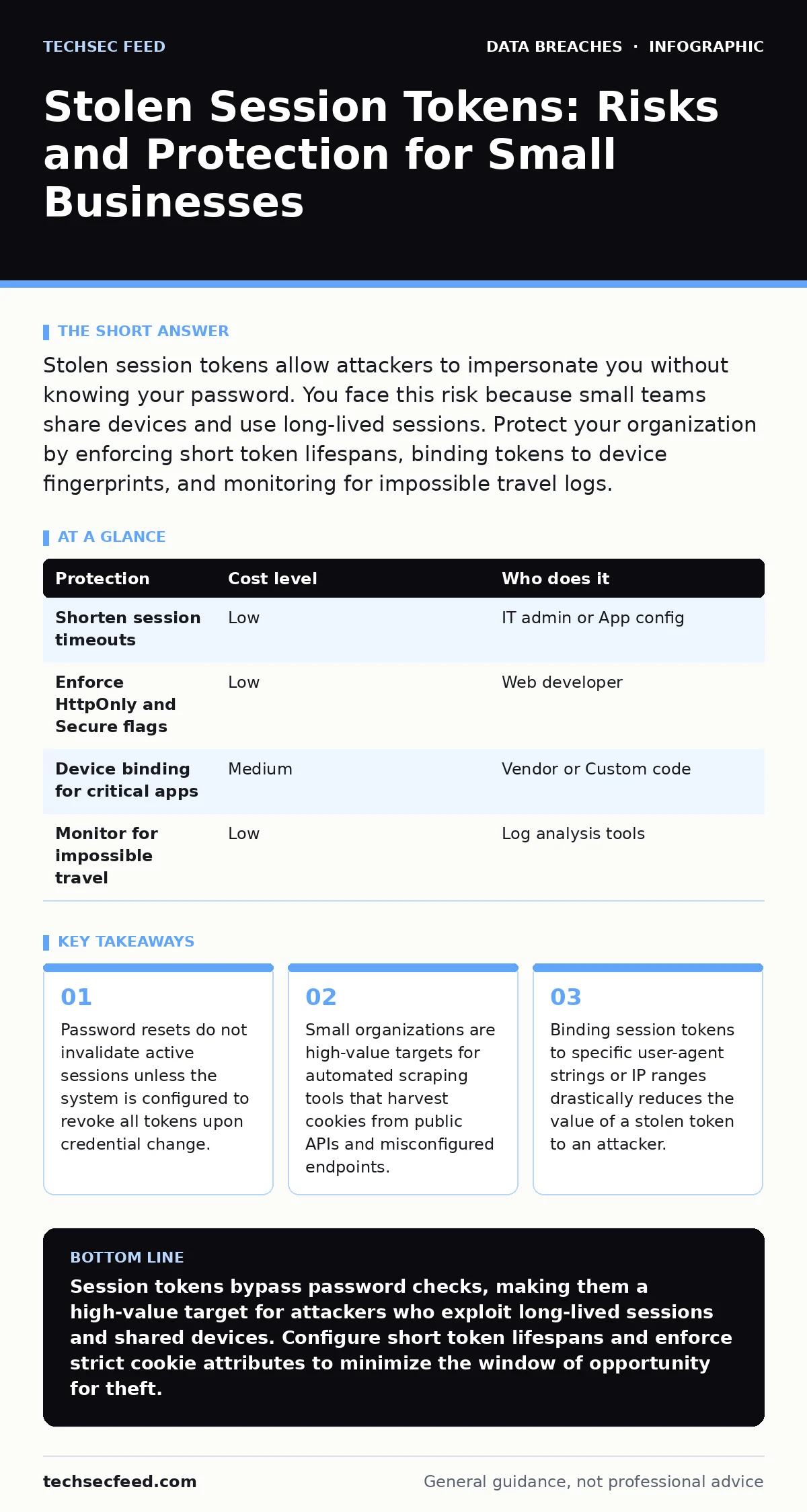
Stolen session tokens allow attackers to impersonate you without knowing your password. You face this risk because small teams share devices and use long-lived sessions. Protect your organization by enforcing short token lifespans, binding tokens to device fingerprints, and monitoring for impossible travel logs.
The Silent Bypass
Most security discussions focus on credential theft. You spend time ensuring your team avoids password reuse and enables multi-factor authentication. These measures are valuable, but they only protect the initial login. Once authenticated, the server issues a session token. This token is a digital key that proves who you are. If an attacker steals this key, they do not need your password. They do not need to bypass your second factor. They simply present the token to the server, and the server grants access.
This mechanism creates a blind spot. Your defenses assume that possession of the token equals legitimate user intent. In reality, tokens are often more valuable than passwords because they grant immediate access without triggering lockout policies or alerting systems designed to catch failed login attempts.
Why Small Organizations Are Exposed
Large enterprises have dedicated security operations centers that monitor for anomalous token usage. Small organizations rarely have these resources. You likely rely on shared workstations, remote access tools, and cloud applications that prioritize ease of use over strict session management. This convenience creates persistent exposure.
Attackers target small businesses because they are easier to breach. Automated tools perform data scraping on public-facing endpoints to find exposed session identifiers. These tools do not need to exploit a complex vulnerability. They only need to find a token that has not expired and is not bound to a specific device. If your application keeps a user logged in for weeks to improve the user experience, you have created a wide window for theft.
Furthermore, small teams often lack the visibility to detect token misuse. An attacker logging in from a different country at 3:00 AM might not trigger an alert if the application does not flag geographic anomalies. You are exposed not because you are careless, but because the default settings of most software favor convenience over security.
The Mechanics of Token Theft
Session tokens are usually stored in browser cookies or local storage. These files are accessible to malicious scripts running on the same domain. If you visit a compromised website that serves malicious JavaScript, that script can read your cookies if the application did not set the HttpOnly flag. This flag prevents client-side scripts from accessing the cookie data.
Another common vector is cross-site scripting. If an application reflects user input back to the browser without sanitization, an attacker can inject code that exfiltrates your session token to their server. Once the token is stolen, the attacker can replay it. The server sees a valid token and grants access. The original user remains logged in, often unaware that a duplicate session exists.
This is why encryption in transit is necessary but insufficient. Encryption protects the token as it moves between your browser and the server. It does not protect the token once it is stored in your browser or if it is intercepted on an unsecured network before encryption is established. You must assume the token can be stolen and design your defenses accordingly.
Low-Cost Protections for Small Teams
You do not need expensive security suites to mitigate this risk. Many protections are configuration changes. Start by reviewing the session timeout settings in your critical applications. Shorter lifespans mean stolen tokens become useless quickly. If a token expires after thirty minutes, the attacker has a very small window to act.
Next, enforce strict cookie attributes. Ensure that your web applications set the Secure flag, which ensures cookies are only sent over HTTPS connections. Set the SameSite attribute to Strict or Lax to prevent tokens from being sent with cross-site requests. This mitigates many cross-site request forgery attacks.
Consider implementing device binding. This technique ties the session token to specific characteristics of the user’s browser or device, such as the user-agent string or screen resolution. If the token is presented from a different device, the server rejects it. This adds a layer of verification that does not require the user to re-authenticate but stops most replay attacks.
| Protection | Cost level | Who does it |
|---|---|---|
| Shorten session timeouts | Low | IT admin or App config |
| Enforce HttpOnly and Secure flags | Low | Web developer |
| Device binding for critical apps | Medium | Vendor or Custom code |
| Monitor for impossible travel | Low | Log analysis tools |
What to Ask an IT Provider
If you outsource your IT management, you must verify how they handle session security. Many managed service providers focus on endpoint protection and backup, ignoring application-layer threats. You need to ask specific questions to ensure they are addressing token theft.
Do not accept vague assurances. Ask for concrete examples of how they configure session management. If they cannot explain the difference between a session cookie and a permanent login token, they may not be equipped to protect your organization.
- How do you configure session expiration times for cloud applications?
- Do you enforce device binding or browser fingerprinting for administrative access?
- What is your procedure for revoking all active sessions when a credential is compromised?
- How do you monitor for login attempts from new geographic locations or unusual devices?
These questions force the provider to move beyond basic security hygiene. They reveal whether the provider understands the nuances of modern authentication flows. A provider who cannot answer these questions is leaving your organization vulnerable to silent access.
See also: What is Hard Disk Encryption and How It Protects Data
Detecting and Responding to Theft
Detection relies on logging and monitoring. You need visibility into all authentication events. Look for patterns that indicate token misuse. A login from a new device combined with a change in location is a strong indicator. If your application supports it, enable alerts for concurrent sessions from different IPs.
When you suspect a token has been stolen, immediate action is required. Changing the password is not enough. You must log out of all active sessions. Most modern applications provide a "Sign out of all devices" option. This invalidates all existing tokens and forces every user to re-authenticate.
After revoking tokens, review the activity logs for the compromised account. Look for data exports, permission changes, or access to sensitive files. Document what was accessed. This information is critical for understanding the scope of the breach. While child identity theft involves long-term damage, session token theft is often about immediate data exfiltration. The response must be swift to limit the damage.
Building a Resilient Posture
Security is not a one-time configuration. It is a continuous process of verification and adjustment. Regularly review your application settings. Ensure that new tools added to your stack follow the same security standards. Train your staff to recognize the signs of account compromise, such as unexpected password reset emails or strange activity in their accounts.
Integrate session security into your broader incident response strategy. Your incident communication plans should include steps for handling token theft, not just password breaches. This ensures that your team knows how to react when the usual indicators of compromise are absent.
By understanding the mechanics of session tokens, you can protect your organization against a threat that bypasses traditional defenses. Focus on short lifespans, strict cookie attributes, and active monitoring. These measures are low-cost but highly effective. They reduce the window of opportunity for attackers and limit the damage if a token is stolen.
Common Misconceptions
Many users believe that enabling two-factor authentication makes their account secure against all attacks. This is a dangerous misconception. MFA protects the initial authentication. It does not protect the session. If an attacker steals a valid token, they do not need to pass the MFA challenge. They are already authenticated.
Another misconception is that logging out of an application on one device logs you out everywhere. This is rarely true. Most web applications maintain separate sessions for each device. Logging out on your laptop does not affect the session on your phone. You must explicitly revoke all sessions from the application settings.
Understanding these distinctions is vital. It shifts your focus from just securing the login page to securing the entire user journey. You must protect the token as fiercely as you protect the password.
Key takeaways
- Password resets do not invalidate active sessions unless the system is configured to revoke all tokens upon credential change.
- Small organizations are high-value targets for automated scraping tools that harvest cookies from public APIs and misconfigured endpoints.
- Binding session tokens to specific user-agent strings or IP ranges drastically reduces the value of a stolen token to an attacker.
Session tokens bypass password checks, making them a high-value target for attackers who exploit long-lived sessions and shared devices. Configure short token lifespans and enforce strict cookie attributes to minimize the window of opportunity for theft.
Frequently asked questions
Does changing my password revoke stolen session tokens?
Not automatically. Most systems keep the session active until it expires naturally. You must manually log out of all devices or use the "revoke all sessions" feature to invalidate stolen tokens.
Can antivirus software prevent session token theft?
Standard antivirus focuses on malware on your device. It may not detect malicious scripts in your browser that steal cookies. You need browser extensions and strict application configurations for full protection.
How short should session timeouts be?
For sensitive applications, timeouts of fifteen to thirty minutes are recommended. This limits the time an attacker has to use a stolen token before it becomes invalid.
Is two-factor authentication useless if tokens are stolen?
MFA is not useless, but it only protects the initial login. It does not protect the session itself. You need both MFA and strict session management to secure your account.
How this guide was produced: written by the TechSec Feed editorial team with AI assistance, checked against the public references listed below, and reviewed when the facts change. See our editorial policy or report an error.