Command Injection Prevention: Secure Your Application Logic
Command injection exploits occur when code treats user input as executable instructions rather than static data, bypassing application logic entirely.
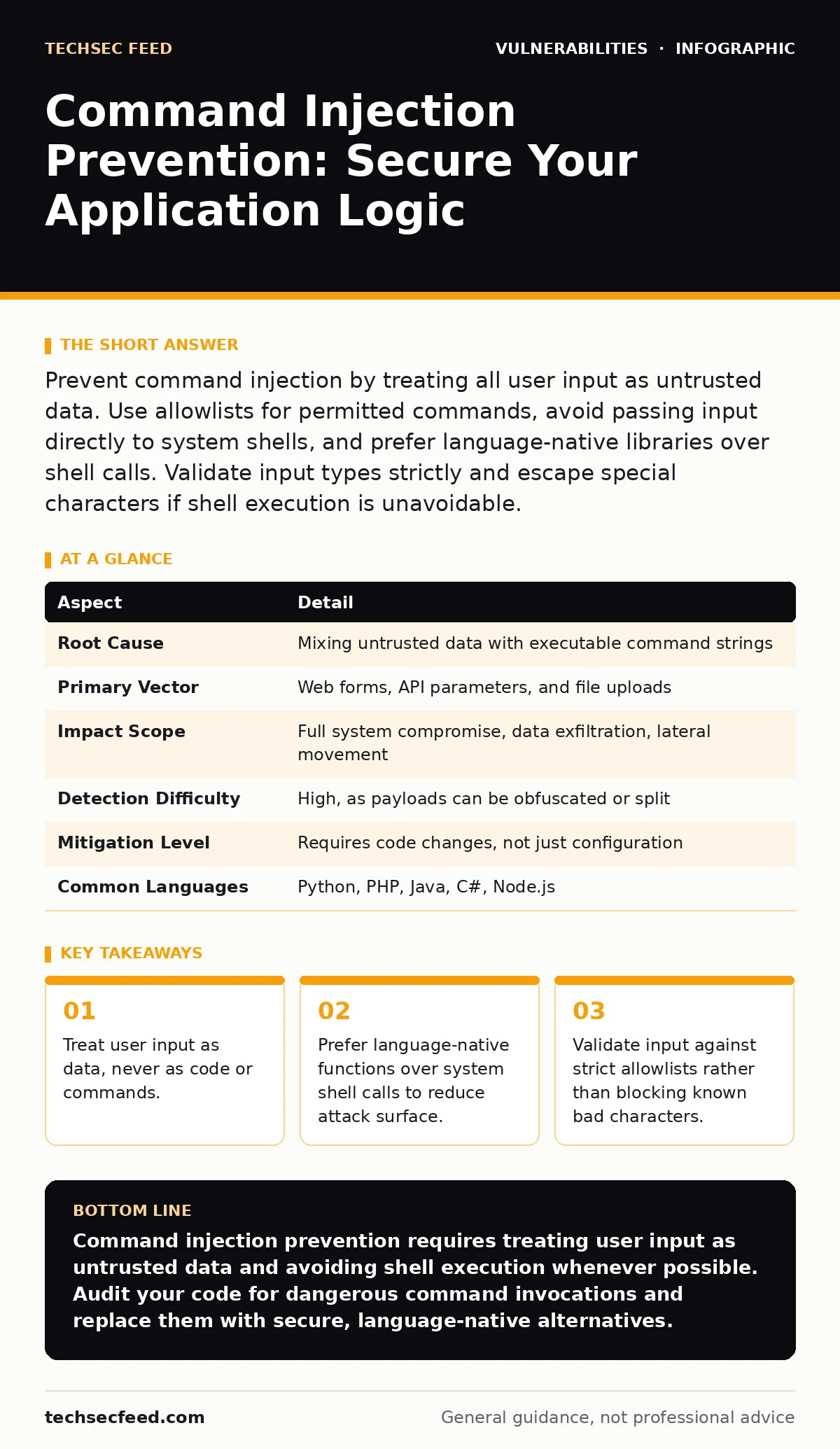
Prevent command injection by treating all user input as untrusted data. Use allowlists for permitted commands, avoid passing input directly to system shells, and prefer language-native libraries over shell calls. Validate input types strictly and escape special characters if shell execution is unavoidable.
Understanding Command Injection Mechanics
Command injection occurs when an application passes untrusted data to a system shell without proper sanitization. The shell interprets this data as executable instructions, allowing an attacker to run arbitrary commands on the host system. This vulnerability exists because many programming languages provide convenient ways to invoke system utilities, but these mechanisms often lack strict boundaries between data and code.
The core issue is context confusion. The application intends to use user input as a parameter, such as a filename or a search term. The operating system, however, receives that input as part of a command string. If the input contains shell metacharacters, it can alter the command structure. This allows the attacker to chain additional commands, redirect output, or execute scripts.
Consider a simple web form that pings a hostname entered by the user. The backend code might construct a string like ping -c 3 <user_input>. If a user enters 127.0.0.1; cat /etc/passwd, the shell executes the ping command and then lists the password file. The application logic fails because it assumes the input is a single safe argument.
| Aspect | Detail |
|---|---|
| Root Cause | Mixing untrusted data with executable command strings |
| Primary Vector | Web forms, API parameters, and file uploads |
| Impact Scope | Full system compromise, data exfiltration, lateral movement |
| Detection Difficulty | High, as payloads can be obfuscated or split |
| Mitigation Level | Requires code changes, not just configuration |
| Common Languages | Python, PHP, Java, C#, Node.js |
Why Shell Calls Are Dangerous
Many developers use system shells for convenience. Shells provide powerful features like piping, redirection, and environment variable expansion. These features are useful for administrators but dangerous in application code. When you invoke a shell, you inherit its parsing rules. The shell looks for characters like semicolons, pipes, ampersands, and backticks to separate or combine commands.
Using a shell introduces a layer of interpretation between your code and the operating system. This layer is complex and often behaves differently across platforms. Windows shells handle commands differently than Unix-based shells. Code that works safely on Linux might fail or behave unexpectedly on Windows. This inconsistency makes testing difficult and increases the risk of oversight.
Imagine a server that uses a shell script to convert uploaded images. The script takes the filename as an argument. An attacker uploads a file named image.jpg; rm -rf /. The conversion tool runs, then the shell executes the delete command. The application never intended to delete files, but the shell interpreted the semicolon as a command separator. This demonstrates how easily data becomes code.
The Failure of Blacklist Filtering
A common mistake is trying to block dangerous characters. Developers create lists of forbidden symbols, such as ;, |, &, and $. They scan user input and reject any string containing these characters. This approach fails because attackers can bypass filters using alternative syntax or encoding.
Shells often accept multiple ways to achieve the same result. An attacker might use backticks instead of parentheses for command substitution. They might use URL encoding, hex encoding, or Unicode variations to hide malicious characters. If the filter only blocks specific ASCII characters, encoded payloads slip through. The application decodes the input before passing it to the shell, rendering the filter useless.
Blacklists also create a cat-and-mouse game. As new bypass techniques emerge, developers must update their filters. This maintenance burden is high and error-prone. A single missed character creates a vulnerability. Instead of trying to block every possible attack, you should restrict what is allowed. Allowlists are more secure because they define a small set of known-safe inputs. If the input does not match the allowed pattern, it is rejected immediately.
Effective Prevention Strategies
Prevention requires changing how your code interacts with the system. The most effective method is to avoid calling the shell altogether. Most programming languages provide libraries that perform common tasks without invoking a shell. These libraries handle arguments as discrete data structures, preventing injection.
For example, instead of using a shell command to list files, use a language-native function like os.listdir() in Python or File.listFiles() in Java. These functions take a directory path as a string and return a list of files. They do not parse the string for shell metacharacters. This eliminates the injection vector entirely.
When shell execution is unavoidable, use argument arrays. Instead of passing a single string to the shell, pass a list of arguments. The operating system receives each argument separately, so metacharacters within an argument are treated as literal data. This method is safer than string concatenation but still requires careful input validation.
Input Validation and Allowlisting
If you must pass user input to a command, validate it strictly. Define exactly what the input should look like. For a hostname, allow only alphanumeric characters and hyphens. For a filename, allow only specific extensions and characters. Reject any input that does not match the expected pattern.
Use regular expressions to enforce these patterns. A regex for a simple filename might allow only letters, numbers, dots, and underscores. This prevents the inclusion of shell operators. Validation should happen before the input reaches the command execution layer. Do not rely on the command itself to handle invalid input.
Context matters. The same input might be safe in one context but dangerous in another. A string that is valid for a database query might be dangerous for a shell command. Validate input based on the specific context where it will be used. Generic validation libraries often fail to account for these nuances.
See also: Secure Software Development: Building Code That Resists Attack · SQL Injection: How Database Queries Become Attack Vectors
What People Usually Get Wrong
Many teams believe that escaping special characters is sufficient. Escaping involves adding a backslash before a metacharacter to neutralize its effect. While this works in simple cases, it is fragile. Different shells and commands interpret escape sequences differently. An escape character might be consumed by one layer, leaving the metacharacter active for the next layer.
Another misconception is that sandboxing provides complete protection. Sandboxes limit what a compromised process can do, but they do not prevent the initial injection. If the sandbox has access to sensitive data or network resources, the attacker can still cause damage. Sandboxing is a defense-in-depth measure, not a primary prevention strategy.
Some developers assume that only external input is dangerous. Internal data, such as configuration files or database records, can also be untrusted. If an attacker can modify a configuration file, they can inject commands that run on the next restart. Treat all data as untrusted, regardless of its source.
Integrating with Security Practices
Command injection prevention fits into a broader security strategy. Vulnerability scanning tools can help identify code patterns that are prone to injection. These tools analyze source code for dangerous function calls and flag them for review. However, scanners can produce false positives and negatives. Manual code review remains necessary.
Dependency updates are also relevant. Third-party libraries might contain vulnerable code that invokes shells insecurely. Keeping dependencies up to date ensures you benefit from security patches. A software bill of materials (SBOM) helps track these dependencies and their versions. This visibility allows you to respond quickly when a vulnerability is disclosed.
Memory-safe programming languages reduce the risk of certain vulnerabilities, but they do not eliminate command injection. These languages prevent memory corruption bugs, but they still allow you to invoke system commands. You must still follow secure coding practices when interacting with the operating system.
Weak password policies and exposed admin panels are separate issues, but they often coexist with injection vulnerabilities. If an attacker can access an admin panel, they might find endpoints that accept unsanitized input. Securing access controls is part of the overall defense. Similarly, vulnerabilities in VPN gateways and application delivery controllers can provide initial access, making injection attacks more likely.
Final Steps for Remediation
Start by auditing your codebase for system command invocations. Identify every place where user input reaches a shell. Prioritize fixes based on the sensitivity of the affected system and the likelihood of exploitation. Replace shell calls with native libraries wherever possible.
Implement strict input validation for remaining cases. Use allowlists to define acceptable input patterns. Test your changes with malicious payloads to ensure they are rejected. Document your validation rules so future developers understand the constraints.
Regularly review your code for new vulnerabilities. As your application evolves, new code paths might introduce injection risks. Integrate static analysis tools into your development pipeline to catch issues early. This proactive approach reduces the cost and effort of remediation.
Key takeaways
- Treat user input as data, never as code or commands.
- Prefer language-native functions over system shell calls to reduce attack surface.
- Validate input against strict allowlists rather than blocking known bad characters.
Command injection prevention requires treating user input as untrusted data and avoiding shell execution whenever possible. Audit your code for dangerous command invocations and replace them with secure, language-native alternatives.
Frequently asked questions
Does using HTTPS prevent command injection?
No, HTTPS encrypts data in transit but does not validate or sanitize the content of that data. Command injection occurs on the server side when processing the received data.
Can a Web Application Firewall stop command injection?
A WAF can block known attack patterns, but it is not a complete solution. Attackers can create new payloads that bypass WAF rules. Code-level prevention is more reliable.
Is command injection the same as SQL injection?
No, SQL injection targets database queries, while command injection targets the operating system shell. Both involve injecting malicious input, but the context and impact differ.
How do I test for command injection vulnerabilities?
Use static code analysis tools to identify risky functions. Then, perform manual testing by injecting shell metacharacters into input fields and observing the server's response.
How this guide was produced: written by the TechSec Feed editorial team with AI assistance, checked against the public references listed below, and reviewed when the facts change. See our editorial policy or report an error.