
Prevent VPN and ADC Vulnerabilities: The Priority Order for Defense
Configuration drift and default credentials cause more breaches than software bugs, yet teams spend most time scanning for code flaws.
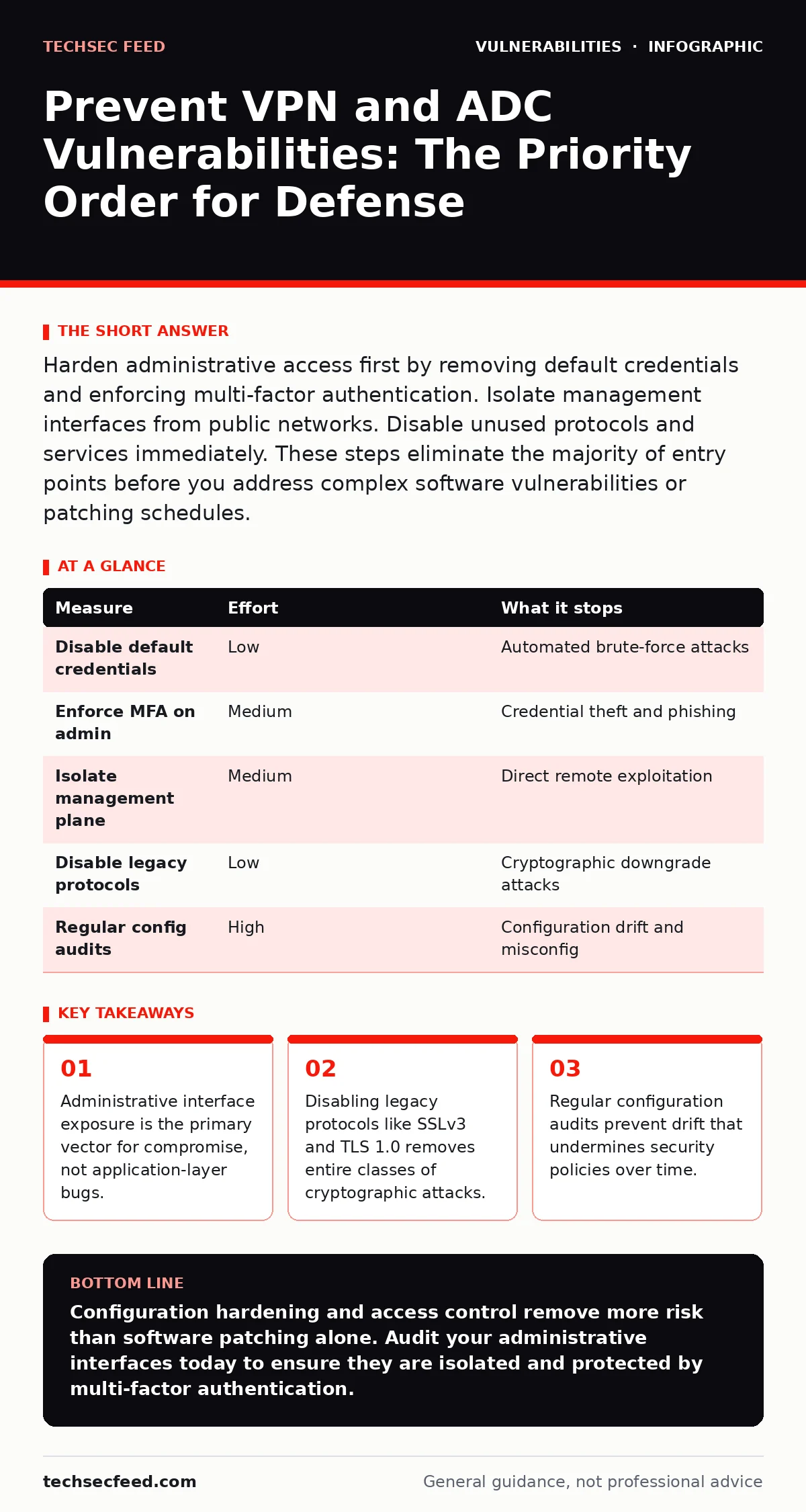
Harden administrative access first by removing default credentials and enforcing multi-factor authentication. Isolate management interfaces from public networks. Disable unused protocols and services immediately. These steps eliminate the majority of entry points before you address complex software vulnerabilities or patching schedules.
Administrative Interface Hardening
Administrative interfaces are the most valuable target for attackers because they control the entire device. VPN gateways and application delivery controllers (ADCs) manage traffic routing, encryption keys, and user authentication. If an attacker gains access to the admin panel, they can bypass all other security controls. You must treat these interfaces as high-value assets that require the strongest possible protection.
Disable all default accounts and change default passwords immediately. Many devices ship with well-known credentials that attackers scan for automatically. Even if you change the password, the default username often remains. Rename or disable the default administrative account to prevent brute-force attacks targeting known usernames. This simple step removes a large number of automated attacks without requiring complex configuration changes.
Enforce multi-factor authentication (MFA) for all administrative access. Passwords alone are insufficient because they can be stolen through phishing or keyloggers. MFA requires a second form of verification, such as a hardware token or a push notification, which an attacker cannot replicate without physical access. This adds a significant barrier to entry for anyone attempting to compromise the management interface.
Isolate management interfaces from public networks. Do not expose administrative ports directly to the internet. Use a separate management network or a bastion host to access the device. This ensures that only authorized personnel from trusted locations can reach the control plane. Public exposure increases the attack surface and allows attackers to probe for weaknesses without restriction.
Protocol and Service Minimization
VPNs and ADCs support many protocols to ensure compatibility with diverse clients and applications. This flexibility creates security risks because each protocol has its own set of vulnerabilities. Attackers often target legacy protocols that are still enabled for backward compatibility but have known cryptographic weaknesses. You must disable any protocol or service that is not strictly necessary for your operations.
Disable SSLv3 and TLS 1.0 and 1.1. These older versions of the Transport Layer Security protocol have known vulnerabilities that allow attackers to decrypt traffic or perform man-in-the-middle attacks. Modern clients support TLS 1.2 and 1.3, which provide stronger encryption and better security features. Enforcing the use of only these modern versions ensures that your traffic remains protected against current cryptographic attacks.
Disable unused services such as Telnet, FTP, and SNMP. These services often transmit data in plain text or have weak authentication mechanisms. If you do not need Telnet for remote management, disable it entirely. Replace it with Secure Shell (SSH), which encrypts all traffic. Similarly, disable File Transfer Protocol (FTP) and use Secure File Transfer Protocol (SFTP) instead. This reduces the number of potential entry points for attackers.
Restrict the ciphers and key exchange algorithms allowed on the device. Weak ciphers can be broken by attackers with sufficient computational power. Configure the device to use only strong, modern ciphers that are resistant to known attacks. This ensures that even if an attacker intercepts the traffic, they cannot decrypt it without the private key.
Configuration Drift Management
Configuration drift occurs when the actual state of a device deviates from the intended security baseline. Over time, administrators make small changes to fix issues or add features, which can inadvertently weaken security. These changes accumulate and create vulnerabilities that are difficult to detect through standard vulnerability scanning. You must actively manage configuration drift to maintain a secure posture.
Implement regular configuration audits against a known good baseline. Compare the current configuration of each device to the approved baseline to identify unauthorized changes. This process helps detect misconfigurations, such as open ports or disabled security features, before attackers can exploit them. Automated tools can perform these checks continuously, providing immediate alerts when drift is detected.
Use infrastructure as code (IaC) to manage configurations. IaC allows you to define the desired state of your infrastructure in code, which can be version-controlled and reviewed. This ensures that all changes are tracked and can be rolled back if necessary. It also prevents manual errors that often lead to configuration drift. By treating configurations as code, you gain better visibility and control over your security posture.
Segmentation and Least Privilege
Network segmentation limits the impact of a compromise by isolating different parts of the network. If an attacker breaches the perimeter, segmentation prevents them from moving laterally to critical systems. VPN gateways and ADCs sit at the edge of the network, making them prime targets for lateral movement. You must design your network architecture to limit the blast radius of a successful attack.
Apply the principle of least privilege to all user accounts and services. Users should only have access to the resources they need to perform their jobs. This limits the damage an attacker can do if they compromise a user account. Similarly, services should only have the permissions required to function correctly. Excessive permissions increase the risk of exploitation and make it easier for attackers to escalate privileges.
Use virtual local area networks (VLANs) to separate management traffic from data traffic. This ensures that administrative commands are not mixed with user data, reducing the risk of interception or manipulation. It also allows you to apply different security policies to each segment, tailoring controls to the specific risks associated with each type of traffic.
| Measure | Effort | What it stops |
|---|---|---|
| Disable default credentials | Low | Automated brute-force attacks |
| Enforce MFA on admin | Medium | Credential theft and phishing |
| Isolate management plane | Medium | Direct remote exploitation |
| Disable legacy protocols | Low | Cryptographic downgrade attacks |
| Regular config audits | High | Configuration drift and misconfig |
Patching and Software Integrity
Keeping software up to date is a fundamental security practice, but it is often treated as an afterthought. VPN gateways and ADCs run complex software stacks that include operating systems, libraries, and application code. Each component can have vulnerabilities that attackers exploit. You must establish a rigorous patching process to address these risks promptly.
Test patches in a staging environment before deploying them to production. Some patches can introduce new issues or break existing functionality. Testing ensures that the update does not cause downtime or performance degradation. It also allows you to verify that the patch actually fixes the vulnerability without introducing new weaknesses. This step is critical for maintaining service availability while improving security.
Maintain a software bill of materials (SBOM) for each device. An SBOM lists all the components and libraries included in the software, along with their versions. This allows you to quickly identify which devices are affected by a specific vulnerability and prioritize patching accordingly. It also helps you understand the supply chain risks associated with third-party components.
For deeper insights into code-level risks, review our guide on memory-safe programming languages. Using languages that prevent memory corruption errors can significantly reduce the number of exploitable vulnerabilities in the software running on your devices.
See also: GraphQL Vulnerabilities: 9 Critical Questions Answered · Asset Inventory Mistakes That Break Patching Workflows
Monitoring and Incident Response
Even with strong preventive measures, breaches can still occur. You must have mechanisms in place to detect and respond to attacks quickly. Monitoring provides visibility into the activity on your devices, allowing you to identify suspicious behavior and take action before significant damage is done.
Log all administrative actions and security events. Ensure that logs are stored securely and cannot be tampered with by attackers. Use a centralized logging system to aggregate logs from all devices, making it easier to correlate events and identify patterns. This helps you detect attacks that span multiple systems or time periods.
Develop and test incident response plans regularly. Ensure that your team knows how to respond to different types of attacks, including credential theft, configuration changes, and service disruptions. Regular testing helps identify gaps in your response capabilities and improves coordination among team members. This preparation reduces the time it takes to contain and remediate an incident.
What Does Not Work
Many organizations rely on measures that provide a false sense of security. Understanding what does not work is just as important as knowing what does. These measures often fail because they do not address the root cause of the vulnerability or are too easily bypassed by attackers.
Relying on obscurity is not a security strategy. Hiding the IP address of an admin panel or using non-standard ports does not prevent determined attackers from finding it. Attackers use automated tools to scan large ranges of IP addresses and identify open ports. Obscurity may delay an attack, but it will not stop it. You must assume that attackers know your infrastructure exists.
Using complex passwords alone is insufficient. Password complexity requirements often lead users to create passwords that are difficult to remember and easy to write down. This increases the risk of theft through social engineering or physical compromise. Multi-factor authentication is a much more effective control because it adds a layer of security that cannot be bypassed with a stolen password.
Ignoring the attack surface is a critical error. Many organizations focus only on the perimeter and neglect internal threats or lateral movement. A comprehensive security strategy must address all potential entry points, including administrative interfaces, user accounts, and third-party integrations. Failing to manage the entire attack surface leaves gaps that attackers can exploit.
Closing Checklist for Immediate Action
Take these three steps today to reduce your risk significantly. These actions are low-effort but high-impact, addressing the most common and dangerous vulnerabilities in VPN gateways and ADCs.
- Disable all default administrative accounts and change any default passwords to strong, unique values.
- Enforce multi-factor authentication for all administrative access to the device management interface.
- Disable legacy protocols such as SSLv3, TLS 1.0, and TLS 1.1, and ensure only modern ciphers are allowed.
Key takeaways
- Administrative interface exposure is the primary vector for compromise, not application-layer bugs.
- Disabling legacy protocols like SSLv3 and TLS 1.0 removes entire classes of cryptographic attacks.
- Regular configuration audits prevent drift that undermines security policies over time.
Configuration hardening and access control remove more risk than software patching alone. Audit your administrative interfaces today to ensure they are isolated and protected by multi-factor authentication.
Frequently asked questions
How often should I update my VPN gateway firmware?
Update firmware as soon as critical security patches are released. Regular updates address known vulnerabilities and improve overall device stability. Delaying updates increases the window of exposure to attackers.
Can I use a VPN to secure my application delivery controller?
Yes, using a VPN to access the ADC management interface adds an extra layer of encryption. However, this does not replace the need for strong authentication and proper network segmentation. The VPN protects the traffic, not the device configuration.
What is the difference between a VPN gateway and an ADC?
A VPN gateway provides secure remote access to a network, while an ADC manages and optimizes application traffic. Both devices handle sensitive data and require strong security measures, but they serve different primary functions.
How do I detect if my device has been compromised?
Look for unusual administrative activity, such as logins from unexpected locations or times. Monitor for configuration changes that were not authorized. Unusual traffic patterns or performance degradation can also indicate a compromise.
How this guide was produced: written by the TechSec Feed editorial team with AI assistance, checked against the public references listed below, and reviewed when the facts change. See our editorial policy or report an error.