
Citrix NetScaler Vulnerabilities Explained: Risks and Fixes
Remote attackers exploit misconfigurations and code flaws in Citrix NetScaler to bypass authentication and execute arbitrary commands on the server.
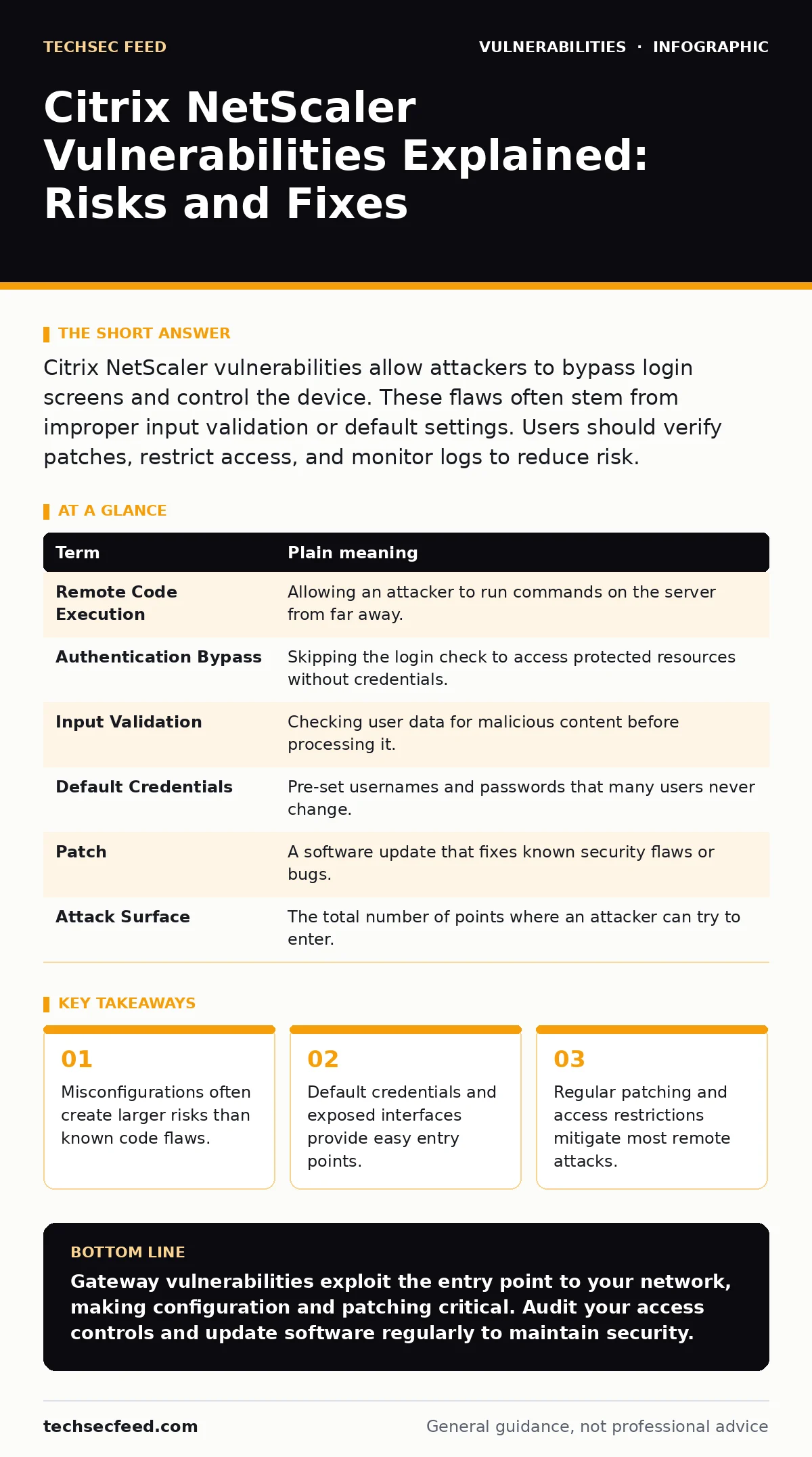
Citrix NetScaler vulnerabilities allow attackers to bypass login screens and control the device. These flaws often stem from improper input validation or default settings. Users should verify patches, restrict access, and monitor logs to reduce risk.
The Unlocked Front Door
Imagine a high-security bank vault. The vault door itself is made of reinforced steel, representing the core security of your network. Citrix NetScaler acts as the lobby attendant who checks IDs before letting people in. If the attendant falls asleep, ignores fake IDs, or leaves the side door unlocked, thieves enter without touching the vault door. This is how NetScaler vulnerabilities work. The main network remains secure, but the gateway controlling access becomes the weak point. Attackers do not need to break into the protected systems directly. They only need to trick or bypass the gateway.
Key Terms Defined
Understanding these concepts helps you recognize where failures occur. The table below defines critical terms used in gateway security.
| Term | Plain meaning |
|---|---|
| Remote Code Execution | Allowing an attacker to run commands on the server from far away. |
| Authentication Bypass | Skipping the login check to access protected resources without credentials. |
| Input Validation | Checking user data for malicious content before processing it. |
| Default Credentials | Pre-set usernames and passwords that many users never change. |
| Patch | A software update that fixes known security flaws or bugs. |
| Attack Surface | The total number of points where an attacker can try to enter. |
Why Gateway Flaws Matter
Citrix NetScaler devices sit between the internet and internal corporate networks. They handle traffic for web applications and remote work connections. When a vulnerability exists in this gateway, it affects every service behind it. Attackers exploit these flaws to steal session tokens, access sensitive files, or install malware. The danger lies in the position of the device. It is exposed to the public internet by design. A single flaw in the gateway logic can compromise the entire organization's perimeter. This makes gateway security distinct from endpoint security.
The Hidden Cost of Misconfiguration
Many incidents involve known vulnerabilities that were patched months ago. The real issue is often misconfiguration. Administrators may leave management interfaces exposed to the public internet. They might use default passwords or fail to update configuration files after applying patches. Imagine the bank attendant keeping a master key under the doormat. The lock is strong, but the key is easy to find. Misconfigurations create an attack surface that patches cannot fix. You must audit settings regularly. Check for exposed admin panels and remove unnecessary services. This reduces the chance of accidental exposure.
Simple Safety Habits for Users
Ordinary users rarely control the NetScaler device. However, you can protect yourself from attacks launched through it. Do not click on suspicious links in emails that claim to be from your company portal. These links often lead to crafted pages that exploit browser or gateway flaws. Always verify the URL before entering credentials. Use multi-factor authentication where available. This adds a layer of protection even if the gateway is compromised. Report any unusual behavior on login screens to your IT team. Your vigilance helps identify attacks early.
See also: CISA KEV Due Dates Explained: Compliance Mechanics and Risk · GraphQL Vulnerabilities: 9 Critical Questions Answered
Technical Mitigation Strategies
Security teams must focus on strict input validation. This ensures that data entering the system is safe. Review configurations for command injection risks. Ensure that user input cannot be interpreted as system commands. Implement network segmentation to limit lateral movement. If an attacker breaches the gateway, they should not reach critical servers. Monitor logs for abnormal traffic patterns. Look for multiple failed login attempts or unusual data transfers. These indicators suggest an active attack. Regular audits help catch drift from secure baselines.
Try This Now
- Check if your organization uses multi-factor authentication for remote access. Enable it if it is not already active.
- Review your browser settings to block pop-ups and unknown scripts. This reduces the risk of drive-by attacks.
- Verify that your software is up to date. Install pending updates for browsers and operating systems immediately.
Related Security Topics
Gateway security connects to broader IT hygiene. Understanding vulnerability chaining helps you see how small flaws combine for large breaches. Teams should maintain an asset inventory for patching to ensure no device is overlooked. Reviewing CISA KEV due dates ensures you prioritize the most critical fixes. Consider exploring memory-safe programming languages to prevent code errors at the source. These practices complement gateway hardening.
Final Thoughts on Gateway Security
Citrix NetScaler vulnerabilities highlight the importance of perimeter defense. The gateway is the first line of defense. When it fails, internal networks are exposed. You cannot rely on the gateway alone. Defense in depth requires multiple layers. Combine patching, configuration audits, and user training. This approach reduces the impact of any single failure. Stay informed about new threats. Adapt your security posture as attacks evolve.
Key takeaways
- Misconfigurations often create larger risks than known code flaws.
- Default credentials and exposed interfaces provide easy entry points.
- Regular patching and access restrictions mitigate most remote attacks.
Gateway vulnerabilities exploit the entry point to your network, making configuration and patching critical. Audit your access controls and update software regularly to maintain security.
Frequently asked questions
How do I know if my Citrix NetScaler is vulnerable?
Check your device version against known vulnerability databases. Look for advisories from the vendor and security researchers.
Can a firewall stop these attacks?
Firewalls can block some malicious traffic, but they cannot fix flaws in the application logic. Proper configuration is still required.
What is the biggest risk for remote workers?
Remote workers often connect through these gateways. Compromised credentials or bypassed authentication can expose corporate data.
Should I disable remote access if vulnerabilities are found?
Disabling access stops business operations. Instead, apply patches immediately and restrict access to trusted IP addresses if possible.
How this guide was produced: written by the TechSec Feed editorial team with AI assistance, checked against the public references listed below, and reviewed when the facts change. See our editorial policy or report an error.