
Sysmon for Small Teams: Low-Cost Monitoring That Actually Works
Sysmon reveals process lineage and network connections that standard logs ignore, exposing lateral movement even when attackers delete their tracks from the filesystem.
Deploy Sysmon to capture detailed process creation and network connection logs on endpoints. It fills the blind spots left by standard Windows Event Logs. Pair it with a lightweight SIEM or centralized log collector. You gain visibility into fileless malware and lateral movement without buying expensive endpoint detection suites.
Why Standard Logs Fail You
Windows Event Logs are designed for system administration, not security forensics. They record that an event happened, but they rarely capture the context needed to understand malicious intent. When a process creates a child process, standard logs often omit the command line arguments. This omission is critical. Attackers rely on this silence. They use legitimate system tools like PowerShell or Command Prompt to execute malicious commands. This technique is known as living off the land.
Sysmon, or System Monitor, changes this dynamic. It is a Windows service and device driver that logs process creation, network connections, and file system changes. It records the parent process ID, the command line used to start a process, and the destination IP address of network connections. This data allows you to reconstruct the timeline of an attack. You can see how an attacker moved from an initial compromise to data exfiltration.
Without Sysmon, you are looking at a series of disconnected dots. With it, you have a connected line. The difference is the ability to detect fileless malware. These threats do not write executables to disk. They run in memory. Standard antivirus scans often miss them because there is no file to scan. Sysmon logs the process creation and the network activity, revealing the threat regardless of its persistence method.
The Cost of Visibility
The primary barrier for small organizations is not the software cost. Sysmon is free and open source. The barrier is the operational cost. Configuring Sysmon correctly requires expertise. The default configuration logs almost everything. This creates terabytes of data quickly. It is impossible to analyze manually.
You need a strategy to manage this volume. The first step is customization. You must filter out benign noise. For example, you might exclude updates from trusted software vendors. You might ignore traffic to known safe domains. This requires maintaining a list of exclusions. If your environment changes, you must update these lists.
The second step is centralization. You must send Sysmon logs to a central server or cloud service. If you leave logs on the local machine, an attacker with administrative privileges can delete them. This is a common tactic. Once the attacker has access, they clear their tracks. A centralized log server preserves the evidence even if the endpoint is compromised.
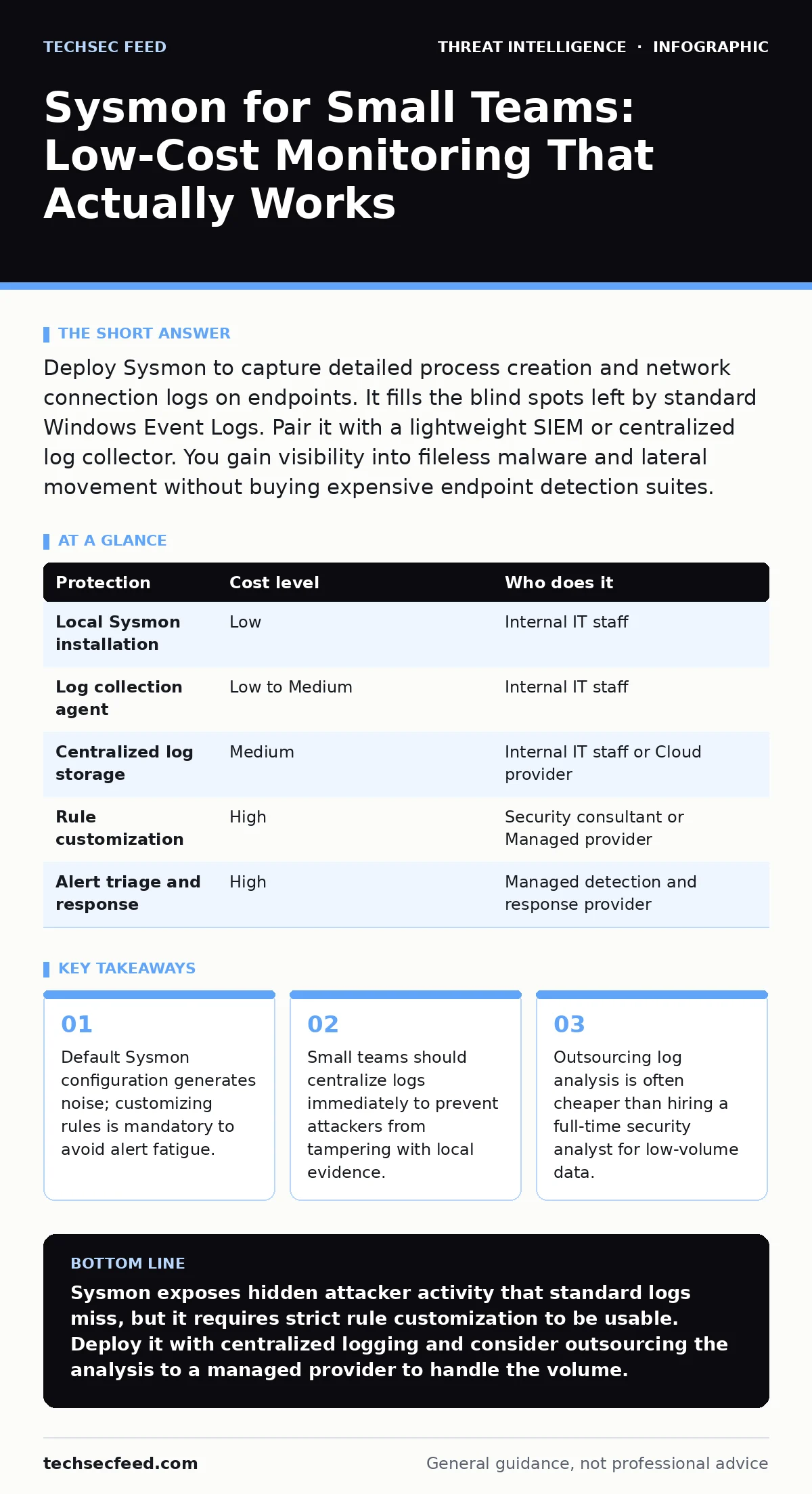
| Protection | Cost level | Who does it |
|---|---|---|
| Local Sysmon installation | Low | Internal IT staff |
| Log collection agent | Low to Medium | Internal IT staff |
| Centralized log storage | Medium | Internal IT staff or Cloud provider |
| Rule customization | High | Security consultant or Managed provider |
| Alert triage and response | High | Managed detection and response provider |
Configuring for Signal, Not Noise
You cannot run Sysmon with default settings in a production environment. The volume of alerts will paralyze your team. You must adopt a curated rule set. The SwiftOnSecurity Sysmon rules are a widely accepted starting point. They are maintained by a community of security researchers. They provide a balance between visibility and noise.
You should not copy these rules blindly. You must adapt them to your environment. Identify the standard processes that run on your machines. Exclude their benign activities from logging if they create excessive volume. For example, if you use a specific backup agent that creates many child processes, you may need to tune the rules to ignore its routine operations.
This tuning process is iterative. You will find new sources of noise as you monitor your environment. You must review the logs regularly. Look for patterns that are unusual but not necessarily malicious. This baseline knowledge helps you spot anomalies later. If you do not know what normal looks like, you cannot identify what is abnormal.
Delegation and Outsourcing
Most small teams lack the bandwidth to analyze Sysmon logs daily. Reading through process creation logs is tedious. It requires specific knowledge of Windows internals and attacker techniques. If you try to do this in-house, you will likely burn out or miss critical alerts.
Consider delegating the analysis to a managed service provider. Many providers offer managed detection and response services. They ingest your Sysmon logs into their platform. They use automated tools and human analysts to triage alerts. You receive a report of confirmed threats. This shifts the workload from continuous monitoring to occasional review.
You can also delegate the configuration. A security consultant can set up Sysmon and the initial rule set. They can integrate it with your existing log management tools. This one-time investment ensures a solid foundation. You then maintain the system with minor updates. This approach reduces the need for specialized staff.
Integrating with Other Tools
Sysmon works best when combined with other data sources. It provides deep endpoint visibility, but it does not see network traffic outside the host. You should correlate Sysmon logs with firewall logs and DNS logs. This gives you a complete picture of the attack.
For example, Sysmon might show a process connecting to an unusual IP address. Your firewall logs can confirm whether that connection was allowed or blocked. Your DNS logs can show the domain name resolved to that IP. This correlation helps you determine the scope of the attack.
You can also use Sysmon to detect specific attack techniques. For instance, attackers often use scheduled tasks to maintain persistence. Sysmon logs the creation and modification of scheduled tasks. You can create rules to alert on any new scheduled task created by a user process. This detects a common persistence mechanism. See our guide on scheduled task abuse for more details on this technique.
See also: Small Business Certificate Management: Avoid Downtime · Child Identity Theft: Why Small Businesses Are Targets and How to Stop It
Maintaining the System
Sysmon is not a set-and-forget tool. It requires ongoing maintenance. You must update the rule set as new threats emerge. Attackers constantly change their tactics. They find ways to evade detection. You must stay informed about these changes.
You should also monitor the health of the Sysmon service. If the service stops, you lose visibility. Set up alerts for service failures. Ensure that the log collection agents are running correctly. If they fail, you have a blind spot.
Regularly review your exclusion lists. Over time, you may add too many exclusions. This can create blind spots. Attackers can exploit these exclusions to hide their activity. Review the lists quarterly. Remove any exclusions that are no longer necessary.
The Bottom Line
Sysmon provides critical visibility into endpoint activity that standard logs miss. It reveals the context of process execution and network connections. This data is essential for detecting advanced threats. However, it requires careful configuration and management.
You must customize the rules to reduce noise. You must centralize the logs to preserve evidence. You should consider outsourcing the analysis to manage the workload. By integrating Sysmon into your security strategy, you gain a powerful tool for detecting and responding to attacks.
Key takeaways
- Default Sysmon configuration generates noise; customizing rules is mandatory to avoid alert fatigue.
- Small teams should centralize logs immediately to prevent attackers from tampering with local evidence.
- Outsourcing log analysis is often cheaper than hiring a full-time security analyst for low-volume data.
Sysmon exposes hidden attacker activity that standard logs miss, but it requires strict rule customization to be usable. Deploy it with centralized logging and consider outsourcing the analysis to a managed provider to handle the volume.
Frequently asked questions
Does Sysmon replace antivirus software?
No. Sysmon is a logging tool, not a prevention tool. It records what happens on the system. It does not block malware. You still need antivirus and other preventive controls.
How much storage do Sysmon logs require?
It depends on your configuration and environment. A well-tuned configuration might generate a few gigabytes per day per host. Poorly tuned configurations can generate terabytes. Always centralize logs to manage this volume.
Can attackers disable Sysmon?
Yes, if they have administrative privileges. This is why you must centralize logs. If the local service is disabled, the logs already sent to the central server remain intact.
Is Sysmon available for macOS or Linux?
Sysmon is a Windows-only tool. There are similar tools for other operating systems, such as Osquery. These tools provide similar visibility but require different configuration.
How this guide was produced: written by the TechSec Feed editorial team with AI assistance, checked against the public references listed below, and reviewed when the facts change. See our editorial policy or report an error.