
Cloud Logging Gaps: 7 Configuration Mistakes That Hide Attacks
Most cloud security breaches go undetected because logging configurations exclude metadata needed to reconstruct attack paths across distributed services.
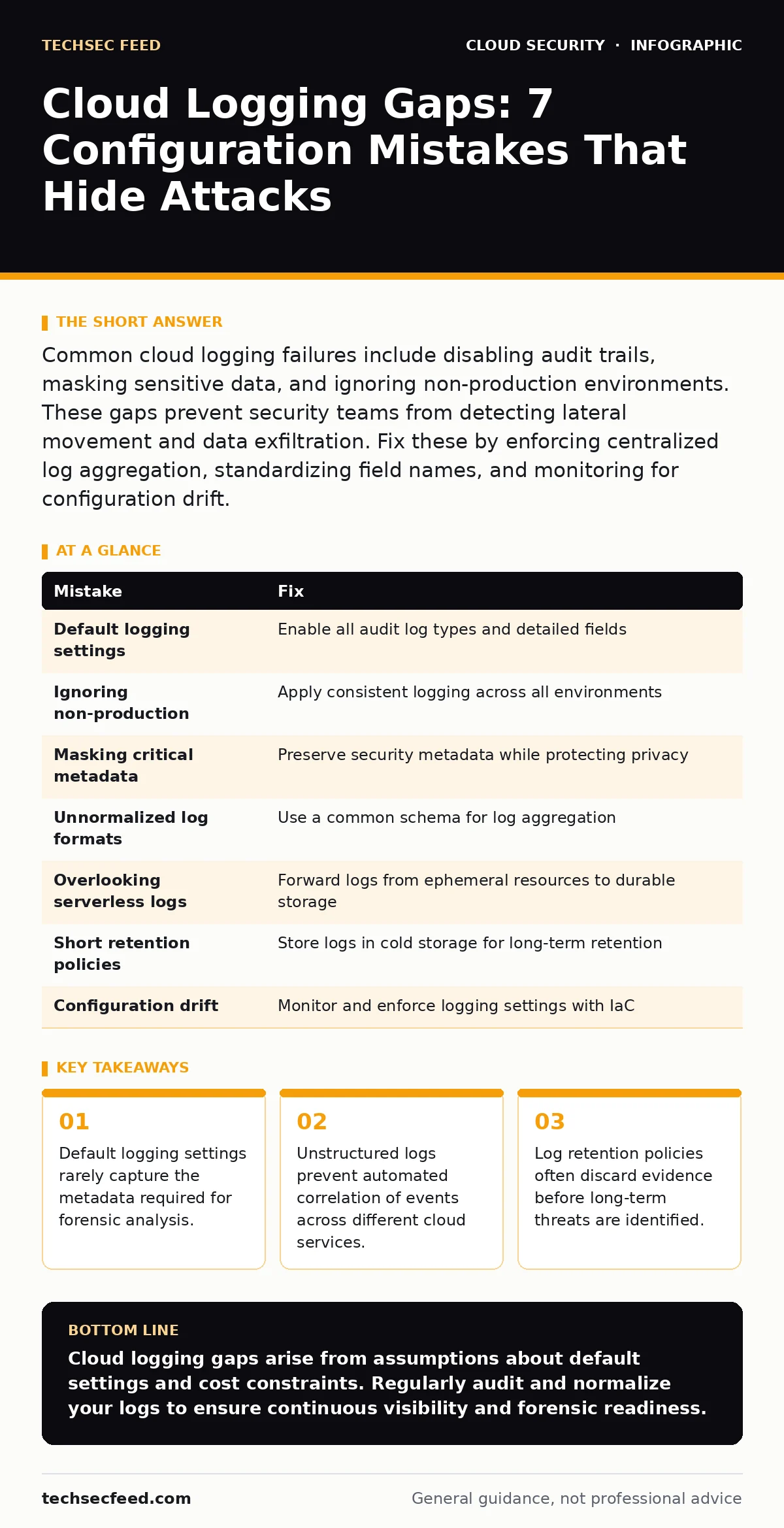
Common cloud logging failures include disabling audit trails, masking sensitive data, and ignoring non-production environments. These gaps prevent security teams from detecting lateral movement and data exfiltration. Fix these by enforcing centralized log aggregation, standardizing field names, and monitoring for configuration drift.
Mistake 1: Relying on Default Logging Settings
Cloud providers enable basic logging by default, but these settings prioritize cost savings over security visibility. Default configurations often exclude detailed administrative actions or filter out high-volume events to reduce storage costs. You assume the baseline is sufficient, but it usually captures only a fraction of the activity occurring within your environment. This creates blind spots where attackers can operate without triggering alerts.
Why it hurts: Attackers exploit these silent zones to perform reconnaissance and privilege escalation. Without detailed records of API calls, you cannot trace how an adversary moved laterally between services. The lack of granularity makes it impossible to distinguish between automated system processes and malicious human activity.
The fix: Explicitly enable all available audit log types for every service in use. Review the provider documentation to identify which events are excluded by default and turn them on. Configure log groups to retain detailed fields such as user identity, source IP, and resource identifiers. This ensures you have the data needed for investigation when an incident occurs.
Mistake 2: Ignoring Non-Production Environments
Security teams often focus logging budgets on production systems, assuming development and staging environments pose minimal risk. This assumption fails because attackers frequently target non-production systems to steal credentials or deploy backdoors. These environments often have weaker access controls and less monitoring, making them attractive entry points. Once compromised, attackers use these footholds to pivot into production networks.
Why it hurts: A breach in a staging environment can provide the same access keys as production. If you do not log activity in these areas, you lose the earliest indicators of compromise. The attack chain continues unchecked until it reaches production, where detection is harder due to higher noise levels.
The fix: Apply consistent logging standards across all environments, including development and staging. Treat these environments with the same security rigor as production. Monitor for unusual access patterns, such as logins from unexpected locations or times. This approach helps you detect credential theft before it impacts critical systems.
Mistake 3: Masking Critical Metadata in Logs
To protect privacy, organizations often mask or redact sensitive data from logs. While this protects customer information, it can inadvertently hide critical security metadata. If you mask IP addresses or user agent strings, you lose the ability to correlate events or identify attack sources. This over-redaction makes forensic analysis difficult and slows down incident response times.
Why it hurts: Security tools rely on consistent metadata to detect anomalies. When critical fields are removed, automated detection rules fail to trigger. You may see an event but lack the context to understand its significance. This leads to alert fatigue, as analysts must manually investigate false positives that would otherwise be filtered out.
The fix: Define a clear policy for what data must be masked and what metadata is required for security. Ensure that fields like source IP, destination port, and user identity remain unmasked. Use tokenization for sensitive data where possible, preserving the structure for correlation while hiding the actual value. Balance privacy requirements with operational security needs.
Mistake 4: Failing to Normalize Log Formats
Different cloud services generate logs in different formats, making it difficult to aggregate and analyze data. Without normalization, you must write custom parsers for each service, which is time-consuming and error-prone. Inconsistent field names and structures prevent automated correlation across services. This fragmentation leaves gaps in your visibility, as events cannot be linked together effectively.
Why it hurts: Attackers often move across multiple services, leaving traces in different log formats. If you cannot correlate these logs, you miss the full attack path. Each service appears secure in isolation, but the combined activity reveals the breach. This lack of visibility delays detection and containment efforts.
The fix: Use a centralized logging platform that supports log normalization. Map fields from different services to a common schema, such as OpenTelemetry or a custom standard. Ensure that key fields like timestamp, source, and action are consistently named. This allows you to create unified dashboards and detection rules that span all services.
Mistake 5: Overlooking Serverless Event Logs
Serverless functions and containerized applications generate ephemeral logs that are easy to miss. These services scale automatically and shut down when idle, leading to log fragmentation. If you do not explicitly configure log forwarding for these transient resources, you lose visibility into their execution. This is particularly risky because serverless architectures often handle sensitive data processing.
Why it hurts: Attackers can exploit serverless functions to perform cryptomining or data exfiltration without leaving persistent traces. Without logs, you cannot detect these activities or trace their origin. The ephemeral nature of these services makes forensic analysis nearly impossible after the fact.
The fix: Configure automatic log forwarding for all serverless functions and containers. Ensure that logs are sent to a durable storage system before the function terminates. Include execution context in the logs, such as the trigger source and input parameters. This provides the visibility needed to monitor these dynamic resources effectively. For deeper insights, consider reviewing our guide on serverless security risks to understand the unique challenges of this architecture.
See also: Cloud Disaster Recovery: How to Restore Services Without Downtime · Detect Overprivileged Cloud Identities Through Log Analysis
Mistake 6: Neglecting Log Retention Policies
Many organizations set short retention periods for logs to save on storage costs. This practice assumes that incidents will be detected immediately, which is rarely the case. Advanced threats often remain undetected for months or years. If you delete logs before identifying a breach, you lose the evidence needed to understand the scope and impact. This compromises your ability to respond and recover.
Why it hurts: Long-term threats require historical data to reconstruct the attack timeline. Without sufficient retention, you cannot identify the initial compromise or the extent of data loss. This limits your ability to notify affected parties and comply with regulatory requirements. It also weakens your defense against future attacks.
The fix: Establish retention policies that align with your risk profile and regulatory requirements. Store raw logs in cold storage for long-term retention, while keeping recent logs in hot storage for quick access. Ensure that logs are immutable and cannot be altered or deleted by attackers. This preserves the integrity of your evidence for future investigations.
Mistake 7: Not Monitoring for Configuration Drift
Cloud configurations change frequently as new services are deployed and existing ones are updated. If you do not monitor for logging configuration drift, you may inadvertently disable critical logging features. Changes made by developers or automated tools can overwrite security settings, creating new gaps in your visibility. This lack of consistency undermines your security posture over time.
Why it hurts: Configuration drift is often subtle and goes unnoticed until a breach occurs. By then, it may be too late to recover the missing logs. The gradual erosion of security settings makes it difficult to maintain a consistent defense. This unpredictability complicates incident response and forensic analysis.
The fix: Implement continuous monitoring for logging configurations. Use infrastructure-as-code tools to manage and enforce logging settings. Alert on any changes that deviate from the baseline configuration. This ensures that logging remains consistent and effective, even as your environment evolves. This practice complements the principles of just-in-time access, ensuring that only authorized changes are made to security settings.
| Mistake | Fix |
|---|---|
| Default logging settings | Enable all audit log types and detailed fields |
| Ignoring non-production | Apply consistent logging across all environments |
| Masking critical metadata | Preserve security metadata while protecting privacy |
| Unnormalized log formats | Use a common schema for log aggregation |
| Overlooking serverless logs | Forward logs from ephemeral resources to durable storage |
| Short retention policies | Store logs in cold storage for long-term retention |
| Configuration drift | Monitor and enforce logging settings with IaC |
Key takeaways
- Default logging settings rarely capture the metadata required for forensic analysis.
- Unstructured logs prevent automated correlation of events across different cloud services.
- Log retention policies often discard evidence before long-term threats are identified.
Cloud logging gaps arise from assumptions about default settings and cost constraints. Regularly audit and normalize your logs to ensure continuous visibility and forensic readiness.
Frequently asked questions
How do I know if my cloud logging is sufficient?
Test your logging by simulating common attack scenarios and verifying that all relevant events are captured and correlated.
What is the difference between access logs and audit logs?
Access logs record who accessed what resource, while audit logs record changes made to resources and configurations.
Should I store logs in the same cloud account as the production environment?
No, store logs in a separate, locked-down account to prevent attackers from altering or deleting evidence.
How often should I review my logging configurations?
Review configurations whenever you deploy new services or make significant changes to your cloud infrastructure.
How this guide was produced: written by the TechSec Feed editorial team with AI assistance, checked against the public references listed below, and reviewed when the facts change. See our editorial policy or report an error.