Detect Overprivileged Cloud Identities Through Log Analysis
Excessive permissions often hide in dormant service accounts that bypass standard human-centric monitoring and alerting thresholds.
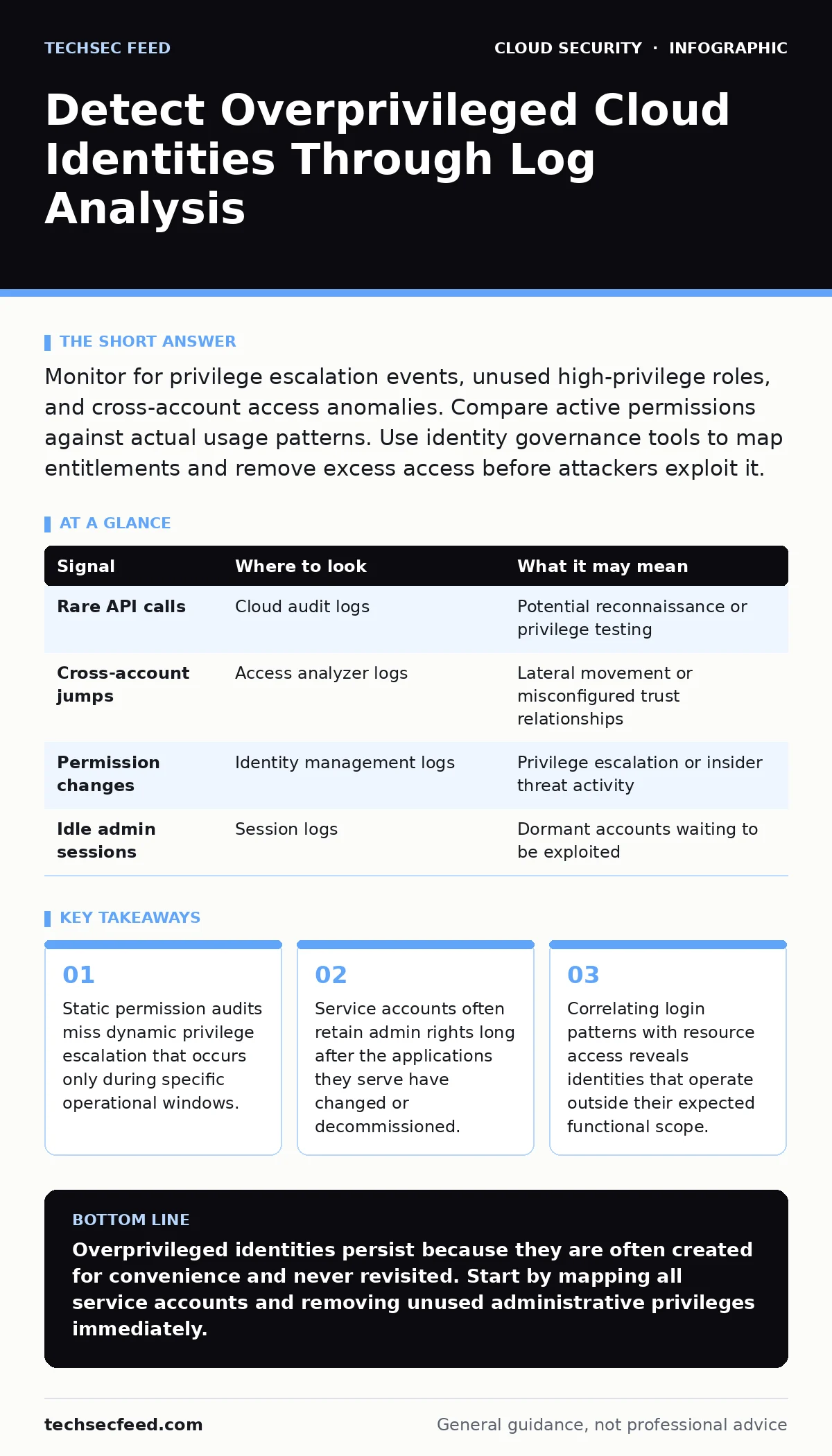
Monitor for privilege escalation events, unused high-privilege roles, and cross-account access anomalies. Compare active permissions against actual usage patterns. Use identity governance tools to map entitlements and remove excess access before attackers exploit it.
Static Entitlement Mapping
You cannot detect what you do not define. The first step is establishing a baseline of what each identity is allowed to do versus what it actually does. This process is often called entitlement management. It involves listing every permission granted to users, groups, and service accounts.
Most teams focus on human users. They neglect service accounts. These non-human identities often hold administrative privileges required for automation scripts or deployment pipelines. When the application changes, the permissions rarely do. This creates a persistent attack surface.
Review your cloud entitlements regularly. Look for roles that grant broad access, such as full administrative control or write access to all resources. These are high-value targets. If an identity holds these rights but only reads data, it is overprivileged.
Behavioral Baselines and Deviations
Permissions are static. Behavior is dynamic. An identity can have appropriate permissions but use them inappropriately. You must establish a behavioral baseline for each identity. This baseline defines normal activity patterns, including login times, source IP ranges, and accessed resources.
Imagine a developer account that usually accesses development environments. If it suddenly accesses production databases, that is a deviation. It might indicate compromised credentials or an insider threat. The permissions may be technically allowed, but the behavior is anomalous.
Look for actions that differ from the identity’s historical pattern. A service account that never accesses user data suddenly querying a customer database is a red flag. These deviations often precede data exfiltration or system modification.
| Signal | Where to look | What it may mean |
|---|---|---|
| Rare API calls | Cloud audit logs | Potential reconnaissance or privilege testing |
| Cross-account jumps | Access analyzer logs | Lateral movement or misconfigured trust relationships |
| Permission changes | Identity management logs | Privilege escalation or insider threat activity |
| Idle admin sessions | Session logs | Dormant accounts waiting to be exploited |
Log Correlation Techniques
Individual log entries are often noise. Context turns noise into signal. You must correlate events across different systems. A login event in one system combined with a permission change in another creates a narrative.
Focus on the sequence of events. Did an identity request a new role? Did it approve its own request? Did it immediately use that new role to modify security settings? These sequences reveal intent.
Use security information and event management systems to automate this correlation. Define rules that trigger alerts when specific sequences occur. For example, alert when a non-admin user escalates privileges and then accesses sensitive storage buckets.
Service Account Hygiene
Service accounts are the blind spot of most cloud security programs. They are created for automation and often forgotten. They do not expire. They do not reset passwords. They sit in the background with high privileges.
Identify service accounts that have not been used in the last ninety days. These are dormant risks. An attacker who compromises a dormant account faces less scrutiny because there is no recent activity to compare against.
Map each service account to its owner and purpose. If you cannot identify the owner, decommission the account. If the purpose is unclear, restrict its permissions to the minimum required. Never grant a service account broad administrative rights unless absolutely necessary.
Cross-Account Trust Relationships
Cloud environments often span multiple accounts for isolation. Trust relationships allow identities in one account to assume roles in another. Misconfigured trust relationships can lead to overprivileged access across the entire environment.
Check for open trust policies. These policies allow any identity to assume a role. Attackers exploit these to pivot between accounts. They start in a low-privilege account and move to high-privilege ones.
Review the conditions in trust policies. Ensure they restrict which identities can assume roles. Use external IDs or specific account IDs to tighten the trust. Do not rely on IP restrictions alone, as attackers can spoof source addresses.
See also: What Is Data Residency: How Location Rules Protect Your Cloud · Cloud Disaster Recovery: How to Restore Services Without Downtime
Common Blind Spots
You will miss overprivileged identities if you look in the wrong places. One common blind spot is temporary credentials. These are often issued for short durations but may retain high privileges. They are harder to track because they expire.
Another blind spot is inherited permissions. Identities often inherit rights from groups or roles. If you remove permissions from the group, the identity may still retain them through other paths. This is known as permission sprawl.
Finally, consider third-party access. Vendors and partners often need access to your cloud environment. They are assigned service accounts or roles. These external identities are often overprivileged because you want to ensure they can do their job. They are also often neglected in audits.
Tooling and Automation
Manual audits are unsustainable. You need tools to automate the detection of overprivileged identities. Identity governance platforms can help. They map permissions and usage, highlighting discrepancies.
Cloud-native application protection platforms (CNAPP) offer visibility into runtime behavior. They can detect when an identity uses permissions in unexpected ways. This complements static entitlement mapping.
Integrate these tools with your incident response process. When an anomaly is detected, you need a clear path to containment. Refer to your cloud incident response plan to ensure your team knows how to handle compromised or overprivileged identities.
Continuous Monitoring
Detection is not a one-time event. It is a continuous process. Permissions change. New identities are created. Old ones are forgotten. Your monitoring must adapt.
Set up regular reviews. Quarterly audits are a good start. Automate the collection of permission data. Use dashboards to visualize permission trends over time.
Educate your teams. Developers and operations staff need to understand the risks of overprivileged identities. They should request only the permissions they need. This reduces the initial attack surface.
Key takeaways
- Static permission audits miss dynamic privilege escalation that occurs only during specific operational windows.
- Service accounts often retain admin rights long after the applications they serve have changed or decommissioned.
- Correlating login patterns with resource access reveals identities that operate outside their expected functional scope.
Overprivileged identities persist because they are often created for convenience and never revisited. Start by mapping all service accounts and removing unused administrative privileges immediately.
Frequently asked questions
How often should I audit cloud identities?
Automate continuous monitoring and perform detailed manual audits quarterly. Immediate reviews are needed after major organizational changes or security incidents.
What is the difference between overprivileged and misconfigured?
Overprivileged means the identity has more permissions than needed. Misconfigured means the permissions are set incorrectly, potentially allowing unintended access or blocking legitimate work.
Can I detect overprivileged identities without third-party tools?
Yes, but it is labor-intensive. You can use native cloud logging and analytics tools to query permission usage. However, third-party tools offer better correlation and visualization.
How do I handle legacy applications with high privileges?
Isolate them in separate accounts or networks. Gradually refactor the application to use least-privilege access. Do not remove privileges abruptly as it may break functionality.
How this guide was produced: written by the TechSec Feed editorial team with AI assistance, checked against the public references listed below, and reviewed when the facts change. See our editorial policy or report an error.