
Snort and Suricata Rule Hygiene: 8 Practices for Fewer Alerts
Most intrusion detection noise stems from stale rules and vague signatures, not from complex evasion techniques used by attackers.
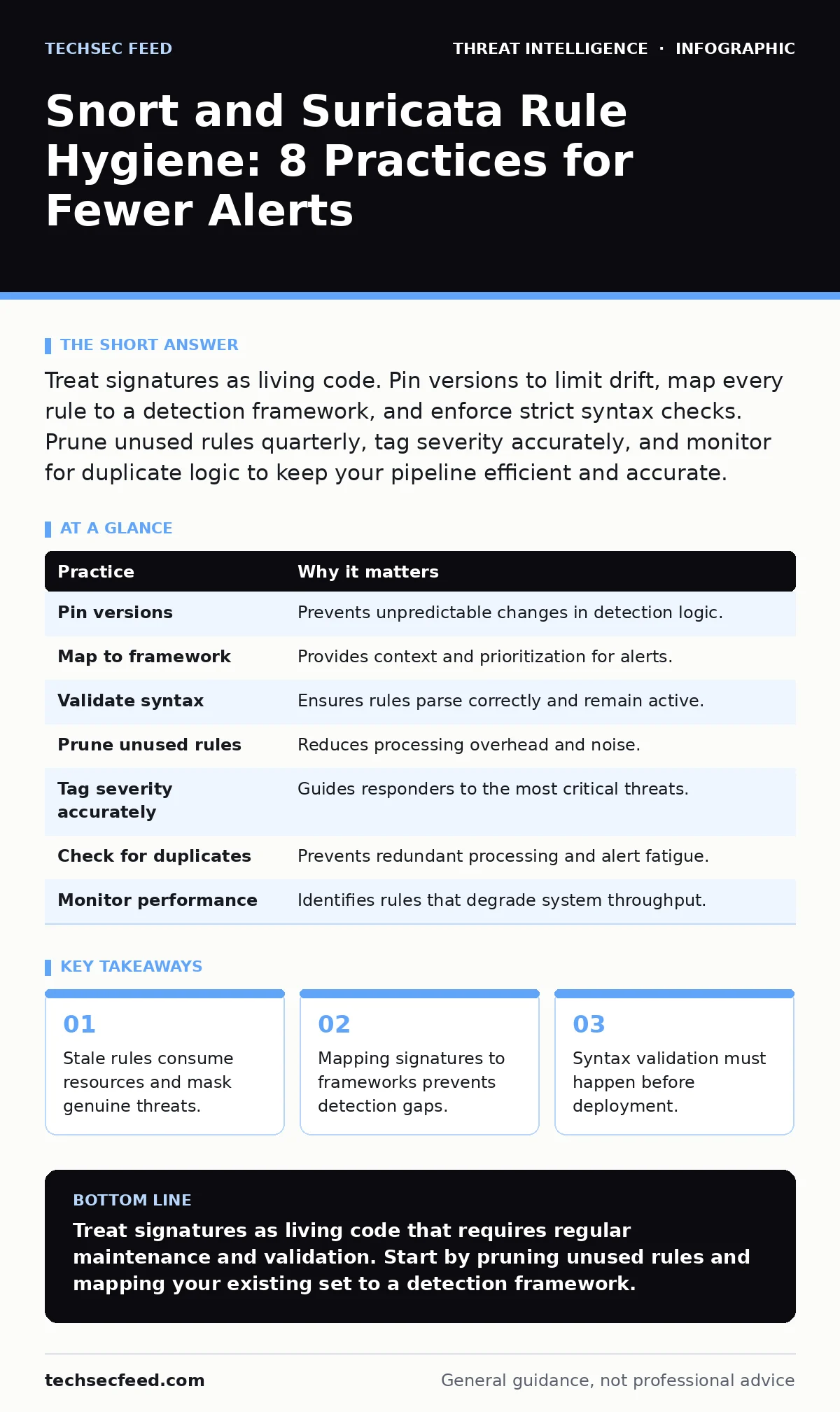
Treat signatures as living code. Pin versions to limit drift, map every rule to a detection framework, and enforce strict syntax checks. Prune unused rules quarterly, tag severity accurately, and monitor for duplicate logic to keep your pipeline efficient and accurate.
1. Pin Rule Versions to Prevent Drift
Signature sets change constantly. If you pull updates automatically without locking versions, your detection logic shifts unpredictably. This drift causes false positives when a rule broadens or misses threats when a rule tightens unexpectedly. You lose the ability to reproduce past alerts or audit what the system saw at a specific time.
Pin your rule sets to a specific version or commit hash in your deployment pipeline. Test new versions in a staging environment that mirrors production traffic before applying them to live sensors. This ensures you control when and how detection logic changes.
2. Map Every Rule to a Detection Framework
A signature without context is just a pattern match. You need to know why a rule exists and what it detects. Mapping rules to a framework like the MITRE ATT&CK Navigator gives each signature a purpose. It turns a raw alert into a step in an attack chain, allowing you to prioritize response based on tactical impact rather than just severity.
Assign a tactic and technique ID to each custom rule. Review your mapped rules quarterly to identify gaps where common behaviors lack coverage. This process reveals when you are detecting symptoms but missing the underlying method.
3. Enforce Strict Syntax Validation
Invalid syntax does not just cause errors; it can disable entire rule sets or create unintended blind spots. A missing semicolon or a malformed option can cause the engine to skip parsing subsequent rules. This silent failure leaves your network exposed without generating obvious warnings.
Integrate a linter into your change management workflow. Run every new or modified rule through a validation script that checks for syntax errors, undefined variables, and deprecated options. Reject any rule that fails this automated check before it reaches the production environment.
| Practice | Why it matters |
|---|---|
| Pin versions | Prevents unpredictable changes in detection logic. |
| Map to framework | Provides context and prioritization for alerts. |
| Validate syntax | Ensures rules parse correctly and remain active. |
| Prune unused rules | Reduces processing overhead and noise. |
| Tag severity accurately | Guides responders to the most critical threats. |
| Check for duplicates | Prevents redundant processing and alert fatigue. |
| Monitor performance | Identifies rules that degrade system throughput. |
| Define scope clearly | Limits rules to relevant network segments. |
4. Prune Unused Rules Quarterly
Detection engines process every rule against every packet. Rules that have not triggered an alert in months still consume CPU cycles and memory. This waste adds up, slowing down throughput and increasing latency. It also creates a cluttered rule base that makes maintenance harder.
Generate a report of rule hit counts over the last ninety days. Disable rules with zero hits and archive them for a period of observation. If a disabled rule never triggers a true positive during the archive period, remove it permanently.
5. Tag Severity Based on Impact, Not Noise
Severity levels guide response priority. If you tag all alerts as high severity, responders will ignore them. If you tag everything as low, critical threats will be missed. Severity should reflect the potential damage of the activity, not how frequently the rule triggers.
Define a clear rubric for severity. A rule detecting a known exploit attempt might be high severity, while one detecting a common scanning tool might be medium. Review your severity tags monthly to ensure they align with current threat priorities and business impact.
See also: Polymorphic Malware: How Code Mutation Evades Static Detection · Command and Control Traffic: Stages, Mechanics, and Interruption Points
6. Eliminate Duplicate Logic
Duplicate rules process the same traffic multiple times. This redundancy wastes resources and can cause conflicting alerts. It also complicates troubleshooting, as you may see multiple alerts for a single event. Over time, duplicates accumulate as different engineers write similar rules without checking existing coverage.
Use a script to identify rules with identical or overlapping conditions. Merge duplicates into a single, well-documented rule. Ensure the merged rule retains all necessary options and references. This simplifies your rule base and improves performance.
7. Monitor Rule Performance Impact
Some rules are computationally expensive. Complex regular expressions or deep packet inspection options can slow down the engine. If a rule processes too many packets or requires excessive memory, it can degrade overall system performance. This degradation may cause packet loss, leading to missed detections.
Profile your rules to measure their impact on CPU and memory. Identify the top ten most resource-intensive rules. Optimize them by simplifying conditions or limiting their scope to specific network segments. Regularly review performance metrics to catch new bottlenecks early.
8. Define Clear Scope for Each Rule
Rules should apply only to relevant traffic. A rule designed for web traffic should not inspect DNS packets. Applying rules broadly increases false positives and wastes resources. It also exposes the engine to unexpected edge cases that trigger unintended matches.
Use classification and priority options to limit rule scope. Define rules for specific protocols, ports, or network segments. Avoid global rules that apply to all traffic unless absolutely necessary. This precision ensures that each rule serves a specific detection purpose.
9. Document Custom Rule Intent
Custom rules often lack documentation. When the original author leaves, the rule becomes a mystery. Future maintainers may disable it out of caution or modify it incorrectly. This knowledge loss degrades the detection capability over time.
Add comments to every custom rule explaining its purpose, the threat it detects, and any known false positives. Store this documentation in a central repository linked to the rule. Review and update this documentation whenever the rule changes.
Key takeaways
- Stale rules consume resources and mask genuine threats.
- Mapping signatures to frameworks prevents detection gaps.
- Syntax validation must happen before deployment.
Treat signatures as living code that requires regular maintenance and validation. Start by pruning unused rules and mapping your existing set to a detection framework.
Frequently asked questions
How often should I update my Snort or Suricata rules?
Update regularly, but always test new versions in a staging environment first. Pinning versions allows you to control the timing of updates.
Should I use community rules or custom rules?
Use community rules for broad coverage and custom rules for specific, high-value targets. Validate both types rigorously.
How do I handle false positives?
Investigate every false positive. Adjust the rule to exclude benign traffic or disable it if it cannot be tuned. Document the reason for any change.
What is the impact of too many rules?
Too many rules increase processing overhead, leading to slower performance and potential packet loss. Prune and optimize regularly.
How this guide was produced: written by the TechSec Feed editorial team with AI assistance, checked against the public references listed below, and reviewed when the facts change. See our editorial policy or report an error.