Hiding your location on X (Twitter) without losing reach
Geolocation metadata leaks from social media posts long after publication, exposing home addresses through routine photo sharing.
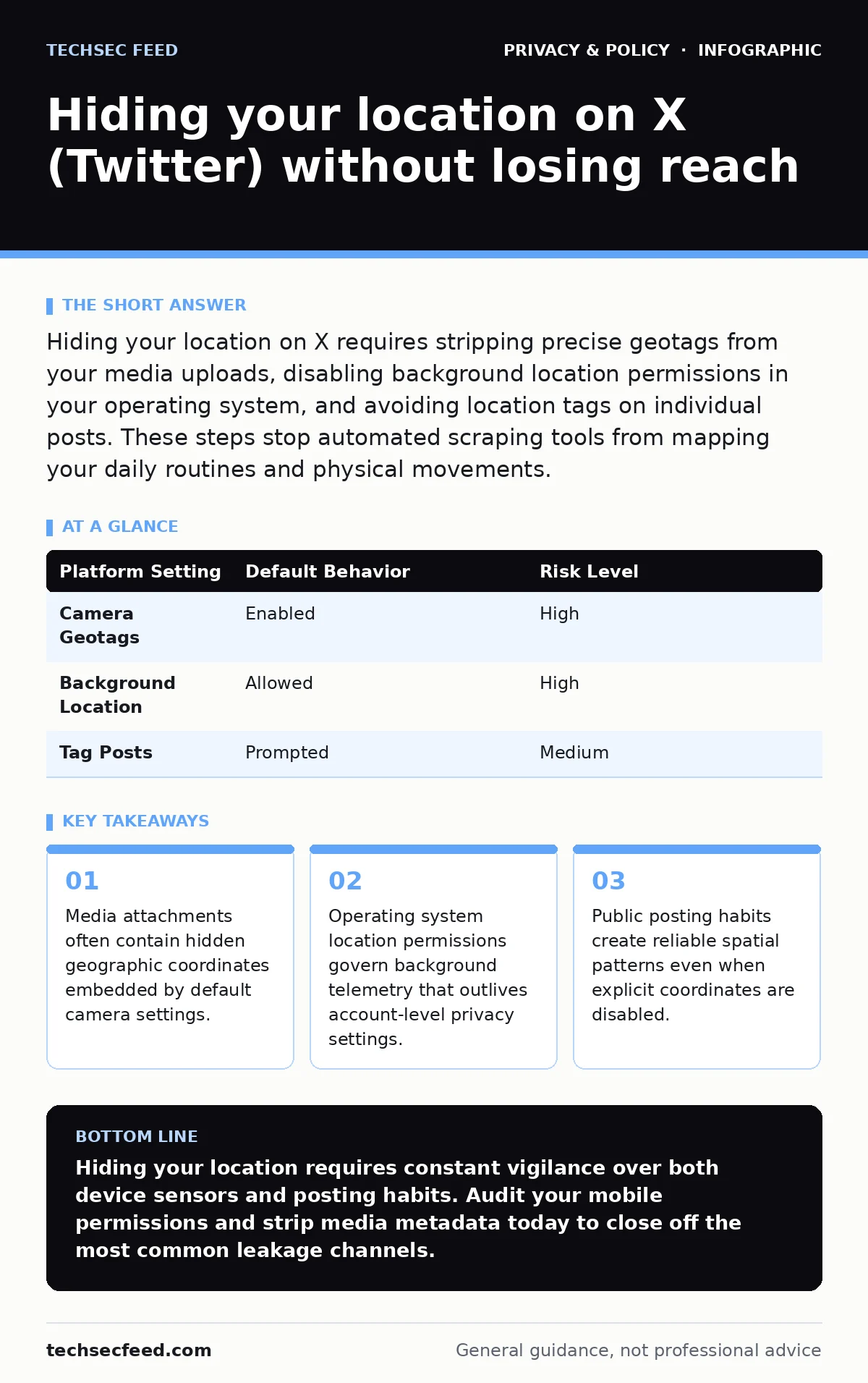
Hiding your location on X requires stripping precise geotags from your media uploads, disabling background location permissions in your operating system, and avoiding location tags on individual posts. These steps stop automated scraping tools from mapping your daily routines and physical movements.
Controlling Media Metadata and Camera Settings
Mobile devices append hidden numeric data to every photograph you capture. This data includes latitude, longitude, and altitude values embedded directly into the file container. When you upload these images to social media platforms, the platform may preserve or strip these details depending on your configuration. You must disable geolocation tagging within your native camera application before taking pictures you intend to publish.
- Disable camera geotagging: prevents raw image files from recording geographic coordinates at the moment of capture.
- Remove file metadata: eliminates hidden tracking markers before sharing visual media online.
- Inspect historic uploads: ensures older posts do not retain active location pointers that reveal frequent haunts.
Managing Device Permissions and Background Telemetry
Operating systems grant applications sweeping access to location sensors by default. Social media clients request precise positioning data to suggest local trends and nearby users. Revoking these permissions at the operating system level forces the application to rely on coarse IP-based approximations or manual input. You must navigate your device privacy settings to restrict background access entirely.
- Revoke precise location access: stops the application from querying global positioning satellites while running in the background.
- Disable background app refresh: prevents continuous telemetry transmissions that leak movement patterns over time.
- Restrict local network permissions: limits the ability of the application to query nearby routers for positional triangulation.
Auditing Post Content and Behavioral Habits
Platform settings alone cannot compensate for contextual clues written directly into your text. Mentioning local landmarks, tagging specific businesses, or posting consistent morning commute times creates a reliable behavioral profile. Automated analysis tools aggregate these seemingly minor details to pinpoint your physical residence or workplace with high accuracy. You should maintain a deliberate separation between your physical routine and your digital commentary.
- Avoid real-time posting: creates a temporal buffer that prevents observers from tracking your current physical location.
- Omit neighborhood identifiers: stops text-based geographic leakage from accumulating in your public history.
- Review tagged locations: ensures check-ins at public venues are disabled by default on all status updates.
Understanding Platform Geotagging Infrastructure
Social media platforms process location data through complex routing mechanisms that differ from standard web browsing. When you interact with location-based features, you consent to persistent storage of your spatial coordinates in server logs. These logs persist even after you delete the associated posts, creating a historical record accessible to entities armed with data subject access requests or administrative privileges. You reduce this server-side footprint by refusing to use any feature that requests your physical coordinates.
- Disable precise location toggles: stops the platform interface from prompting you to attach venue data to text posts.
- Clear location history: removes cached geographic searches from your account settings menu.
- Limit third-party integrations: revokes external application access that might broadcast your coordinates via cross-posting.
| Platform Setting | Default Behavior | Risk Level |
|---|---|---|
| Camera Geotags | Enabled | High |
| Background Location | Allowed | High |
| Tag Posts | Prompted | Medium |
Recognizing the Limits of Pseudonymity
Pseudonymous accounts offer zero protection against location leakage if your posting habits mirror your physical life. Adversaries correlate your online active hours with local time zones, physical events, and regional vocabulary to narrow down your real-world coordinates. Complete anonymization requires treating your digital persona as an entirely separate entity with distinct behavioral patterns.
- Randomize posting schedules: disrupts diurnal patterns that reveal your local time zone and sleep cycle.
- Avoid local news commentary: prevents regional bias from exposing your physical jurisdiction.
- Separate device usage: ensures your primary mobile phone does not handle both your personal life and your pseudonymous account.
See also: What Is Biometric Data Used For: Identity, Access, and Hidden Risks · Zero Knowledge Encryption Cloud Storage: How It Works and What You Lose
Navigating Regulatory and Legal Intersections
Privacy regulations provide frameworks for managing your digital footprint, but they rarely apply uniformly to social media interactions. Exercising your right to be forgotten removes indexed content from search engines, yet platform databases often retain copies of your historical location logs. Understanding these jurisdictional limitations prevents a false sense of security regarding your deleted posts.
- Request data exports: allows you to audit the geographic coordinates stored by the platform over time.
- Review privacy policies: highlights how third-party partners access your location telemetry.
- Monitor regulatory changes: keeps you informed about evolving standards for geolocation data retention.
Key takeaways
- Media attachments often contain hidden geographic coordinates embedded by default camera settings.
- Operating system location permissions govern background telemetry that outlives account-level privacy settings.
- Public posting habits create reliable spatial patterns even when explicit coordinates are disabled.
Hiding your location requires constant vigilance over both device sensors and posting habits. Audit your mobile permissions and strip media metadata today to close off the most common leakage channels.
Frequently asked questions
Does using a virtual private network hide my location on X?
A virtual private network routes your traffic through an intermediary server, masking your internet protocol address but failing to hide locations derived from mobile device GPS sensors, EXIF metadata, or your own text posts.
Can someone find my home address from a photo posted online?
Images often contain distinct architectural features, utility poles, or embedded GPS coordinates that allow observers to pinpoint a physical location with surprising accuracy.
Do deleted posts remove my location history from platform servers?
Deleting a post removes it from public view, but platform operators often retain the underlying telemetry and location logs in their internal databases for extended periods.
Why do social media apps request precise location access?
Applications request precise location data to serve localized advertisements, recommend nearby content, and match you with regional users, trading your privacy for platform engagement.
How this guide was produced: written by the TechSec Feed editorial team with AI assistance, checked against the public references listed below, and reviewed when the facts change. See our editorial policy or report an error.